
220-1201 · Question #166
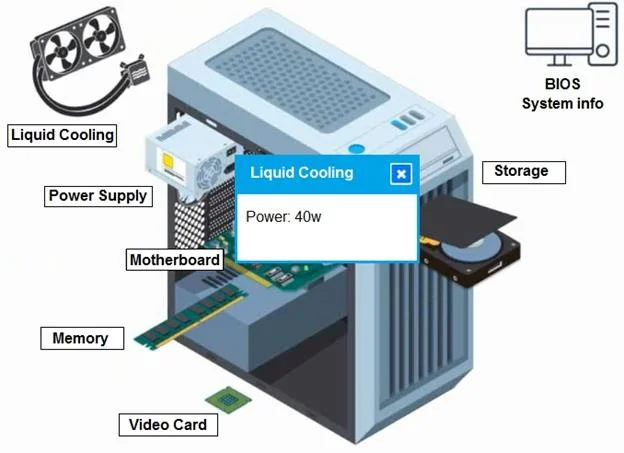
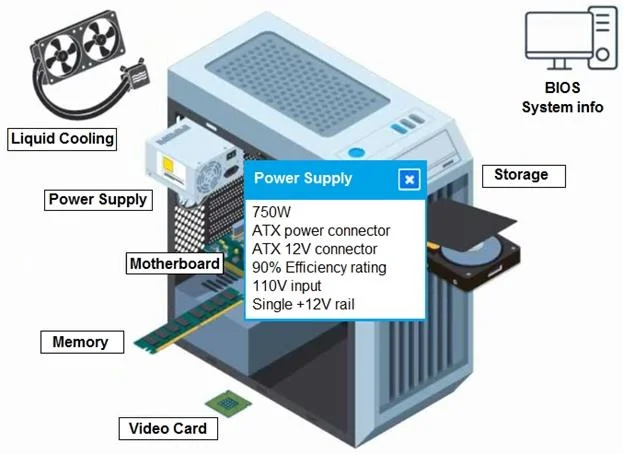
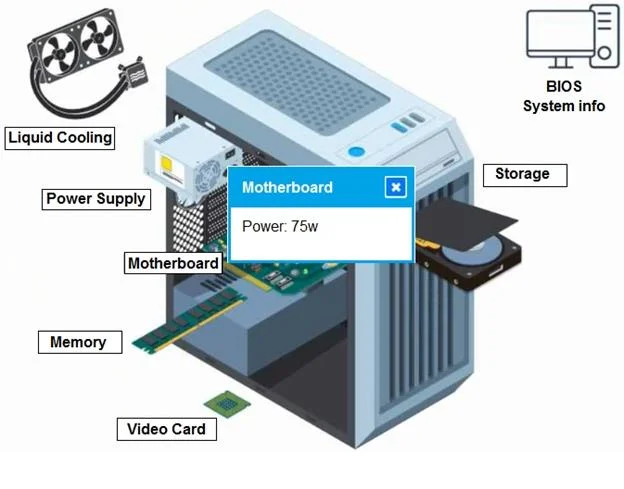
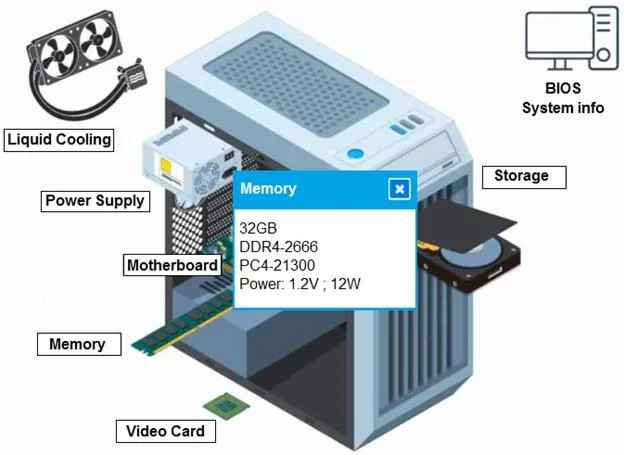
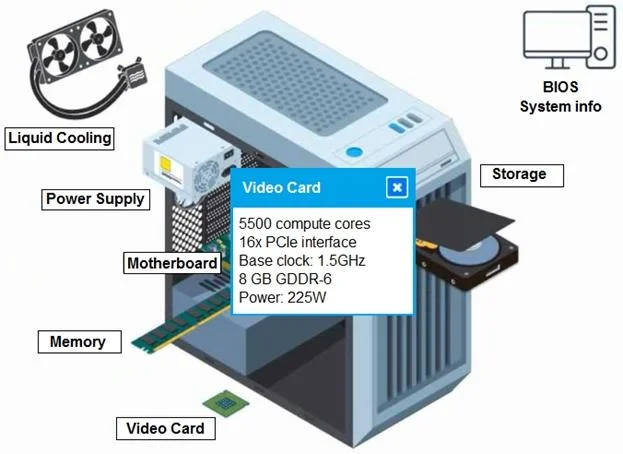
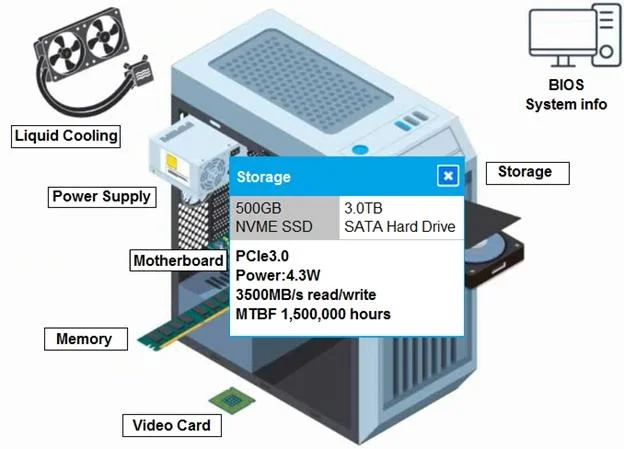
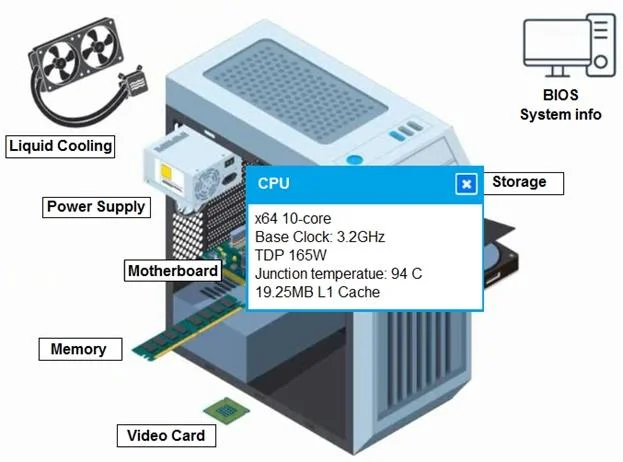
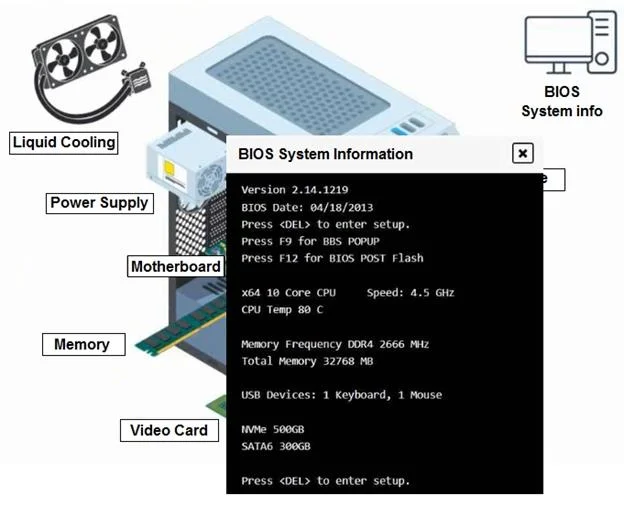
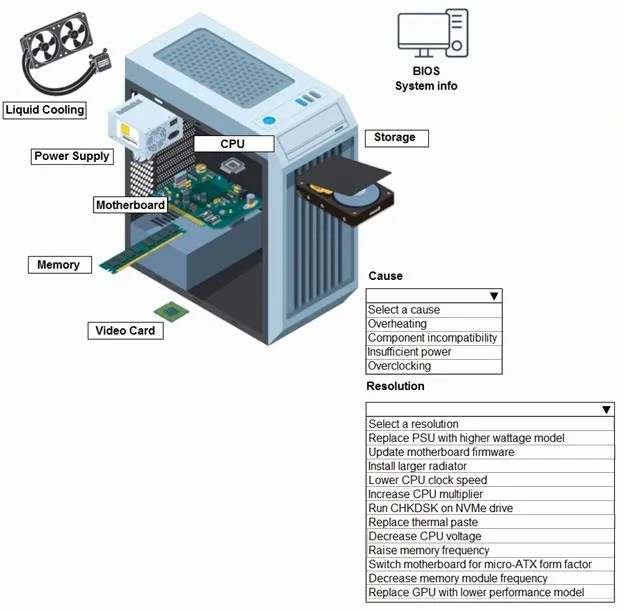
SIMULATION 7 A customer built a computer for gaming, sourcing individual components and then assembling the system. The OS starts up, but within a few minutes the machine locks up. The customer…
When a custom-built gaming PC boots into the OS but locks up within minutes, the most common cause is thermal throttling or overheating due to improper CPU cooler installation, mismatched TDP ratings, or insufficient thermal paste application - the system runs until heat builds…
Question
Exhibits
Explanation
When a custom-built gaming PC boots into the OS but locks up within minutes, the most common cause is thermal throttling or overheating due to improper CPU cooler installation, mismatched TDP ratings, or insufficient thermal paste application - the system runs until heat builds to a critical threshold and then freezes or shuts down. The resolution is to verify the CPU cooler's TDP rating matches or exceeds the CPU's thermal requirements, reseat the cooler with proper thermal paste, and ensure all fans are functioning correctly. This scenario is a classic POST-boot stability issue rooted in thermal management rather than software or storage failure.
Topics
Community Discussion
No community discussion yet for this question.