
SC-300 · Question #436
You have a Microsoft Entra tenant. You need to add the Facebook social identity provider to the tenant. What should you do first?
The correct answer is D. Set Enable guest self-service sign up via user flows to Yes. Add Facebook as an identity provider for External ID You can add Facebook to your self-service sign-up user flows so that users can sign in to your applications using their own Facebook accounts. To allow users to sign in using Facebook, you first need to enable self-service…
Question
You have a Microsoft Entra tenant. You need to add the Facebook social identity provider to the tenant. What should you do first?
Exhibit
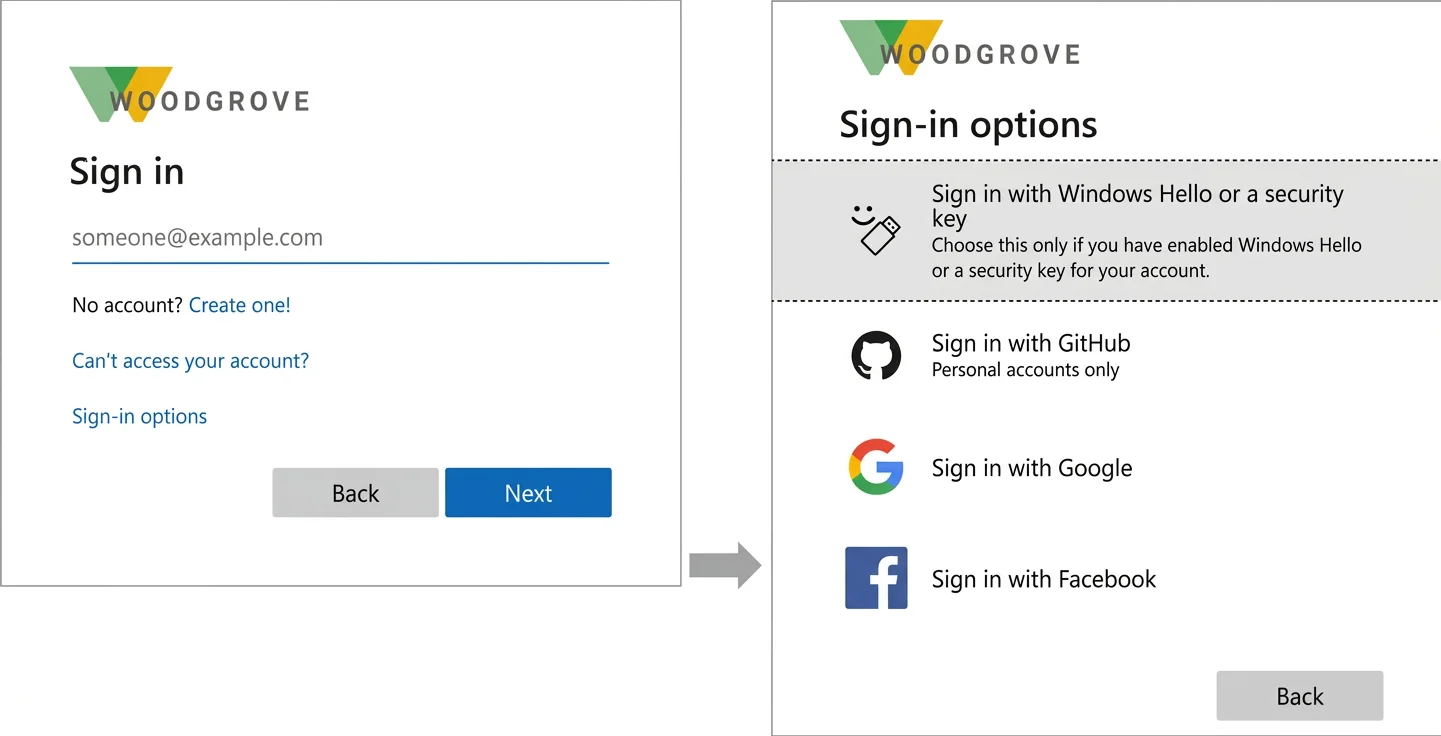
Options
- AAdd a custom domain
- BAdd a WS-Fed identity provider.
- CAdd a SAML identity provider.
- DSet Enable guest self-service sign up via user flows to Yes.
How the community answered
(45 responses)- A4% (2)
- B16% (7)
- C9% (4)
- D71% (32)
Explanation
Add Facebook as an identity provider for External ID You can add Facebook to your self-service sign-up user flows so that users can sign in to your applications using their own Facebook accounts. To allow users to sign in using Facebook, you first need to enable self-service sign-up for your tenant. After you add Facebook as an identity provider, set up a user flow for the application and select Facebook as one of the sign-in options. After you add Facebook as one of your application's sign-in options, on the Sign in page, a user can enter the email they use to sign in to Facebook, or they can select Sign-in options and choose Sign in with Facebook. In either case, they're redirected to the Facebook sign in page for https://learn.microsoft.com/en-us/entra/external-id/facebook-federation
Topics
Community Discussion
No community discussion yet for this question.