
SC-300 · Question #275
Hotspot Question Your network contains an on-premises Active Directory Domain Services (AD DS) domain named fabrikam.com. The domain contains an Active Directory Federation Services (AD FS) instance…
The correct answer is The user account has a six-character password and is enabled. = Yes; The user account has a 12-character password and is enabled. = Yes; The user account has an eight-character password and is disabled. = Yes. This question tests knowledge of Microsoft Entra Connect synchronization behavior, specifically what can and cannot be managed in the cloud (contoso.com) versus on-premises (fabrikam.com) in a federated/hybrid identity environment.
Question
Exhibits
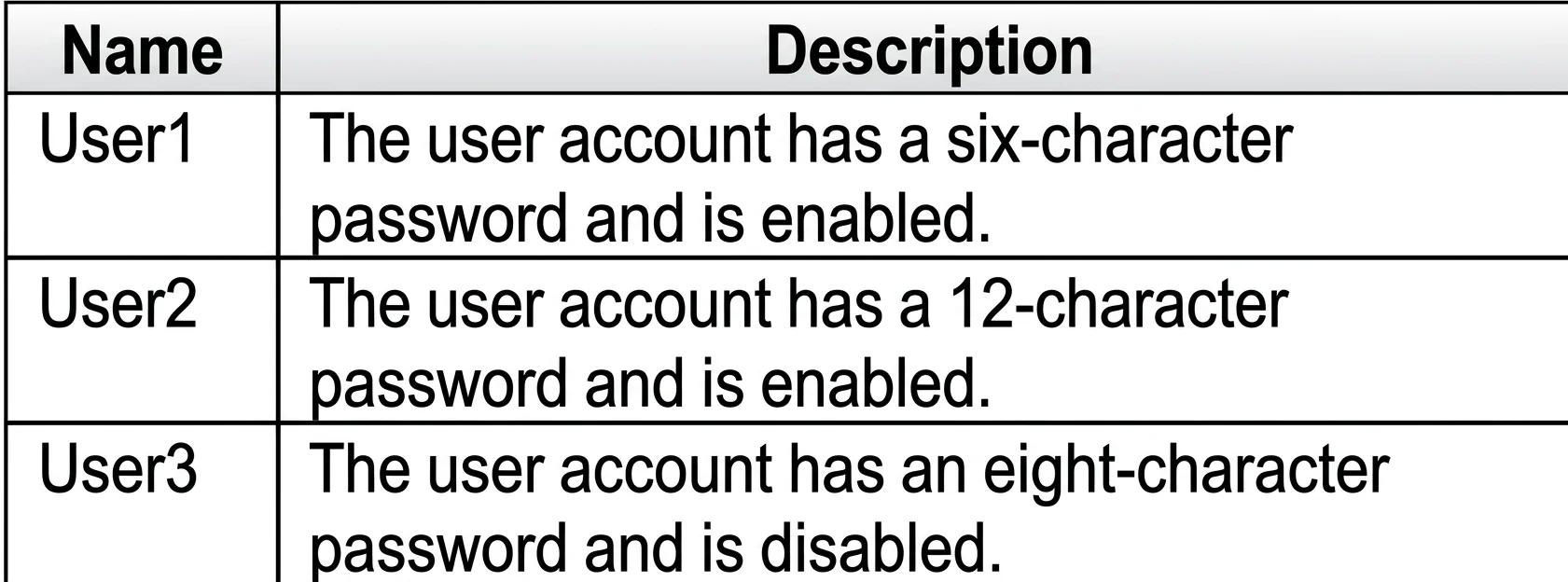
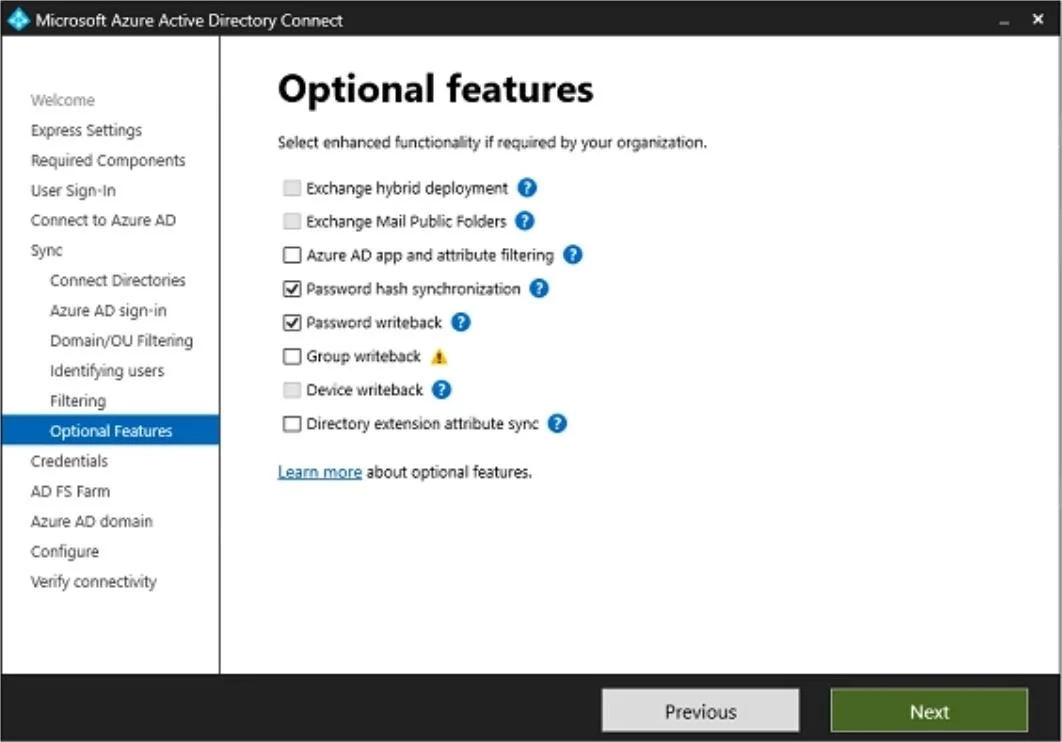
Answer Area
- The user account has a six-character password and is enabled.Yes
- The user account has a 12-character password and is enabled.Yes
- The user account has an eight-character password and is disabled.Yes
Explanation
This question tests knowledge of Microsoft Entra Connect synchronization behavior, specifically what can and cannot be managed in the cloud (contoso.com) versus on-premises (fabrikam.com) in a federated/hybrid identity environment.
Approach. In a federated hybrid identity setup using Microsoft Entra Connect, the on-premises AD DS is the authoritative source for synced objects. Groups created directly in the cloud (Entra/M365 tenant) like Group1 are cloud-only objects and will NOT sync back to on-premises AD DS - sync is unidirectional (on-premises to cloud) for directory objects. User enable/disable actions performed in the cloud tenant (contoso.com) for synced users are overwritten on the next sync cycle because the on-premises AD DS remains the source of authority; therefore, disabling User2 or enabling User3 in the cloud will be reverted by the next Entra Connect sync if the on-premises state differs. Only changes made in the on-premises AD DS will persist for synced user accounts. Cloud-only actions (like disabling a synced user in Entra ID) are temporary and get overwritten, so the statements about User2 remaining disabled and User3 remaining enabled in the cloud after sync would be 'No' unless the on-premises state matches.
Concept tested. Microsoft Entra Connect synchronization direction and source of authority: in hybrid identity, on-premises AD DS is the authoritative source for synced objects, meaning cloud-side changes to synced users/groups are overwritten by subsequent sync cycles, and cloud-created groups do not replicate back to on-premises AD DS.
Reference. Microsoft Learn: Microsoft Entra Connect sync - understand and customize synchronization; Hybrid Identity documentation on source of authority and sync direction.
Topics
Community Discussion
No community discussion yet for this question.