
SC-300 · Question #367
SIMULATION Use the following login credentials as needed: To enter your username, place your cursor in the Sign in box and click on the username below. To enter your password, place your cursor in…
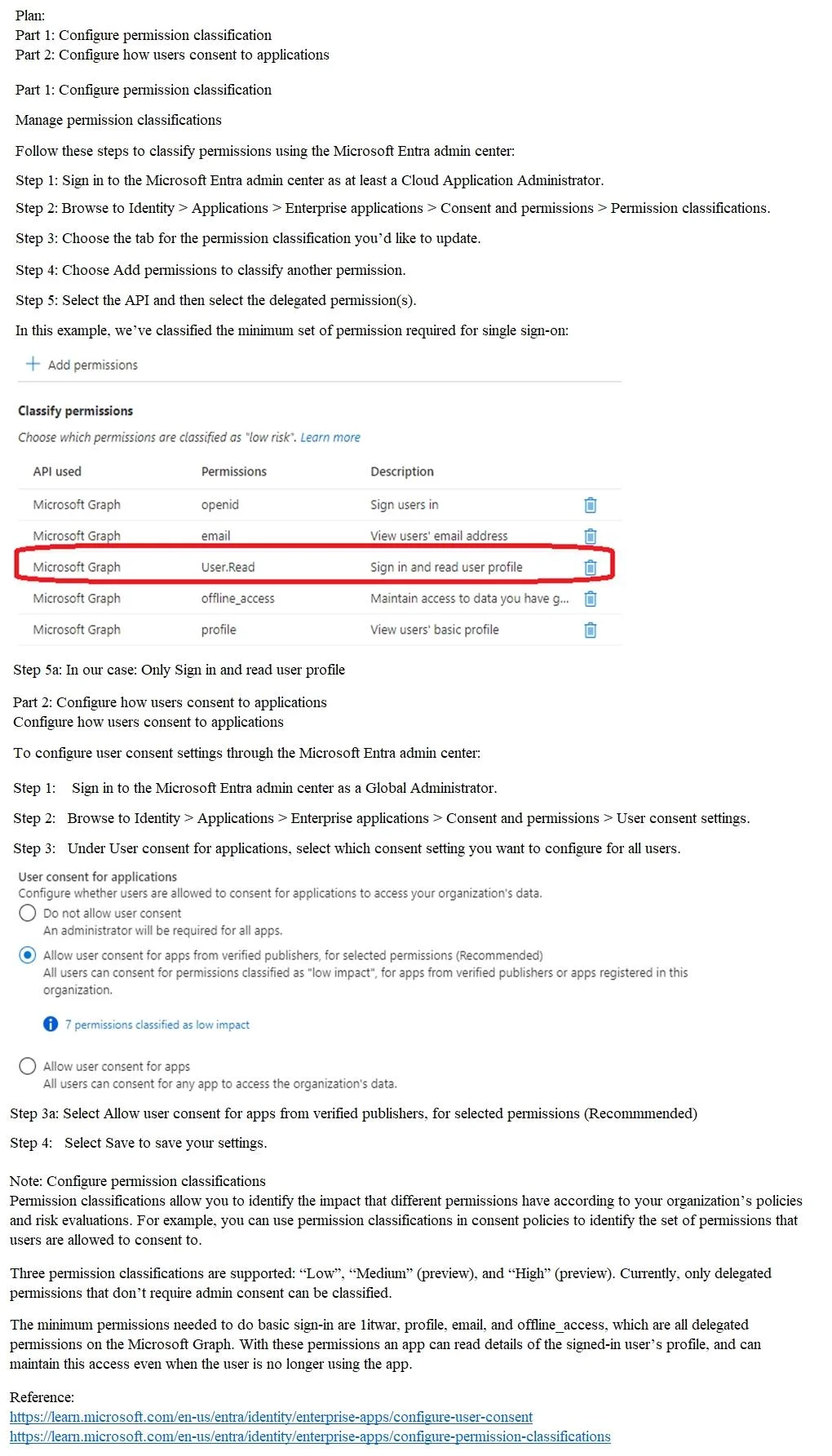
The correct approach is to navigate to Microsoft Entra admin center > Identity > Applications > Enterprise Applications > Consent and Permissions > Permission Classifications, and classify the Microsoft Graph 'User.Read' (read user profile) delegated permission as a 'Low risk'…
Question
SIMULATION Use the following login credentials as needed:
To enter your username, place your cursor in the Sign in box and click on the username below. To enter your password, place your cursor in the Enter password box and click on the password below. Microsoft 365 Username:[email protected] Microsoft 365 Password: =1122334455667788 If the Microsoft 365 portal does not load successfully in the browser, press CTRL-K to reload the portal in a new browser tab. The following information is for technical support purposes only:
Lab Instance: 99999999 You need to ensure that all users can consent to apps that require permission to read their user profile. Users must be prevented from consenting to apps that require any other permissions. To complete this task, sign in to the appropriate admin center. Answer:
Exhibit
Explanation
The correct approach is to navigate to Microsoft Entra admin center > Identity > Applications > Enterprise Applications > Consent and Permissions > Permission Classifications, and classify the Microsoft Graph 'User.Read' (read user profile) delegated permission as a 'Low risk' or allowed permission. This configuration leverages Azure AD's permission classification feature, which allows administrators to define exactly which permissions users can self-consent to, while blocking consent for any unclassified (higher-risk) permissions. By only classifying the 'User.Read' permission, users are implicitly prevented from consenting to any other permissions, satisfying both requirements of the task.
Topics
Community Discussion
No community discussion yet for this question.