
SC-300 · Question #368
SIMULATION Use the following login credentials as needed: To enter your username, place your cursor in the Sign in box and click on the username below. To enter your password, place your cursor in…
To create a custom collection (tab) named 'Operations' in the My Apps portal for the sg-Operations group containing only LinkedIn and Box, you must navigate to Microsoft Entra ID > Enterprise Applications > App Launchers/Collections, then create a new collection named…
Question
SIMULATION Use the following login credentials as needed:
To enter your username, place your cursor in the Sign in box and click on the username below. To enter your password, place your cursor in the Enter password box and click on the password below. Microsoft 365 Username:[email protected] Microsoft 365 Password: =1122334455667788 If the Microsoft 365 portal does not load successfully in the browser, press CTRL-K to reload the portal in a new browser tab. The following information is for technical support purposes only:
Lab Instance: 99999999 You need to ensure that when users in the sg-Operations group go to the My Apps portal, a tab named Operations appears that contains only the following applications:
- Box
To complete this task, sign in to the appropriate admin center. Answer:
Exhibit
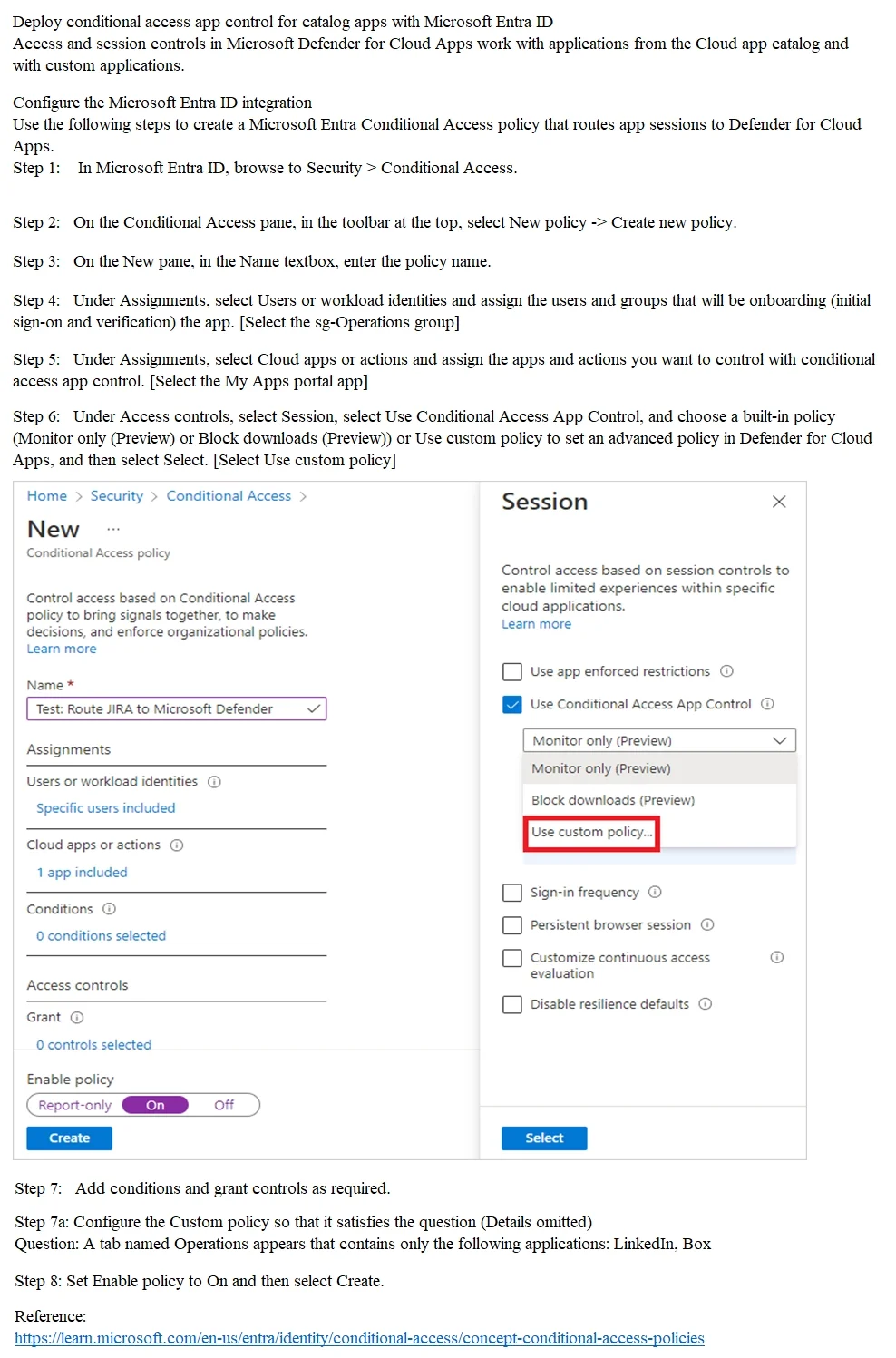
Explanation
To create a custom collection (tab) named 'Operations' in the My Apps portal for the sg-Operations group containing only LinkedIn and Box, you must navigate to Microsoft Entra ID > Enterprise Applications > App Launchers/Collections, then create a new collection named 'Operations', assign the sg-Operations group to it, and add only LinkedIn and Box as the applications. This is the correct approach because My Apps Collections is the specific feature designed to organize and surface curated sets of applications as named tabs for specific user groups in the My Apps portal. The steps shown in the answer options referencing Conditional Access are incorrect - Conditional Access controls access policies, not the organization or presentation of app tabs in My Apps.
Topics
Community Discussion
No community discussion yet for this question.