
SC-300 · Question #255
Drag and Drop Question You have an Azure AD tenant that contains a user named Admin1. Admin1 uses the Require password change for high-risk users policy template to create a new Conditional Access…
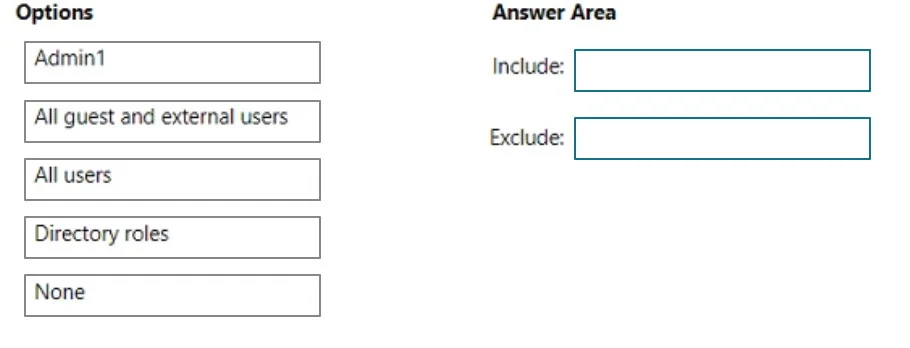
The correct answer is Include: All users; Exclude: Admin1. When using the 'Require password change for high-risk users' Conditional Access policy template in Azure AD, the policy automatically includes 'All users' in its assignment scope to broadly protect the tenant. By default, the account creating the policy (Admin1 in this case) is…
Question
Exhibit
Answer Area
Drag items
Correct arrangement
- Include: All users
- Exclude: Admin1
Explanation
When using the 'Require password change for high-risk users' Conditional Access policy template in Azure AD, the policy automatically includes 'All users' in its assignment scope to broadly protect the tenant. By default, the account creating the policy (Admin1 in this case) is automatically excluded to prevent the administrator from being locked out of the tenant - this is a built-in safeguard Microsoft includes in policy templates to ensure at least one admin retains access.
Topics
Community Discussion
No community discussion yet for this question.