
NSE4 · Question #326
An administrator needs to inspect all web traffic (including Internet web traffic) coming from users connecting to SSL VPN. How can this be achieved?
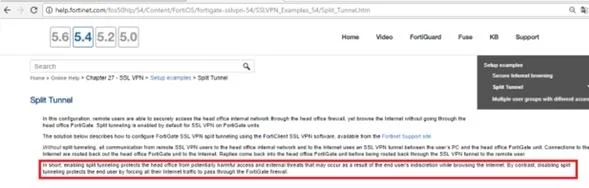
The correct answer is A. Disabling split tunneling. To ensure all web traffic from SSL VPN users, including internet traffic, is inspected by the FortiGate, split tunneling must be disabled.
Question
An administrator needs to inspect all web traffic (including Internet web traffic) coming from users connecting to SSL VPN. How can this be achieved?
Exhibit
Options
- ADisabling split tunneling
- BConfiguring web bookmarks
- CAssigning public IP addresses to SSL VPN clients
- DUsing web-only mode
How the community answered
(62 responses)- A92% (57)
- B3% (2)
- C3% (2)
- D2% (1)
Why each option
To ensure all web traffic from SSL VPN users, including internet traffic, is inspected by the FortiGate, split tunneling must be disabled.
Disabling split tunneling forces all traffic, including internet-bound web traffic, from the SSL VPN client through the FortiGate unit. This ensures that the FortiGate can apply security profiles, such as web filtering and antivirus, to all traffic originating from the SSL VPN users, thereby allowing comprehensive inspection.
Configuring web bookmarks only provides quick access to specific internal web resources and does not route all web traffic through the FortiGate for inspection.
Assigning public IP addresses to SSL VPN clients does not inherently force all traffic through the FortiGate for inspection; it only affects the client's source IP.
Web-only mode for SSL VPN provides access only to specific web applications or portals and does not establish a full tunnel for all client traffic inspection.
Concept tested: SSL VPN split tunneling functionality and security inspection
Source: https://docs.fortinet.com/document/fortigate/7.4.0/administration-guide/463836/split-tunneling
Topics
Community Discussion
No community discussion yet for this question.