
MS-700 · Question #286
You have a Microsoft 365 E5 subscription and use Microsoft Teams. A user named User1 reports that Microsoft Teams Meeting Add-in for Microsoft Outlook is unavailable and cannot be installed. You…
The correct answer is C. Validate the Teams policies settings. The Teams Meeting Add-in for Outlook is controlled by Teams-wide policy settings, particularly the coexistence and upgrade mode. Validating Teams policies is the correct step to resolve add-in unavailability.
Question
Exhibit
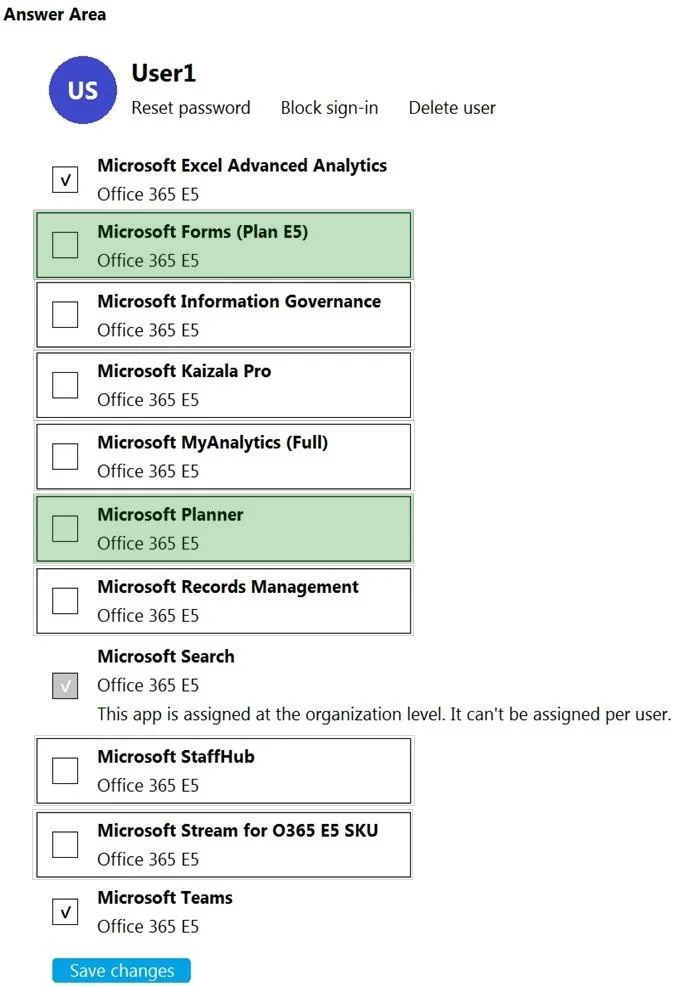
Options
- AValidate the Meeting policies settings.
- BClear the Teams client cache of User1.
- CValidate the Teams policies settings.
- DInstruct User1 to update to the most recent version of the Teams client.
How the community answered
(33 responses)- A12% (4)
- B6% (2)
- C79% (26)
- D3% (1)
Why each option
The Teams Meeting Add-in for Outlook is controlled by Teams-wide policy settings, particularly the coexistence and upgrade mode. Validating Teams policies is the correct step to resolve add-in unavailability.
Meeting policies control in-meeting features such as recording and screen sharing, but they do not govern whether the Teams Meeting Add-in appears or can be installed in Outlook.
Clearing the Teams client cache can resolve display refresh issues, but the add-in being completely unavailable and uninstallable is a policy enforcement issue, not a cache corruption problem.
The availability of the Teams Meeting Add-in for Outlook is governed by Teams policies, specifically the Teams upgrade policy (TeamsUpgradePolicy) which sets the coexistence mode for the user. If a user is in a mode that disables Teams meeting scheduling (such as SfBOnly), the add-in will not appear or install. Validating and correcting the Teams policy assignment for the user restores the add-in's availability.
While keeping the Teams client updated is good practice, the add-in's availability is determined by policy configuration rather than the client version, so an update alone would not resolve the issue.
Concept tested: Teams upgrade policy controlling Meeting Add-in for Outlook availability
Source: https://learn.microsoft.com/en-us/microsoftteams/teams-add-in-for-outlook
Topics
Community Discussion
No community discussion yet for this question.