
MS-700 · Question #108
Task 8 You need to enable shared channel collaboration with microsoft.com. The solution must meet the following requirements: - Users must be able to participate in shared channels created by…
This task tests your ability to configure Azure AD (Microsoft Entra ID) Cross-tenant access settings to enable B2B Direct Connect, which is required for Microsoft Teams shared channel collaboration with an external organization.
Question
Exhibit
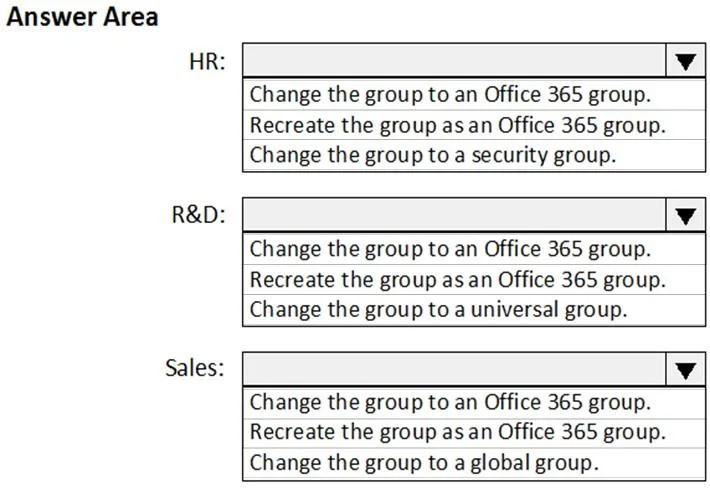
Explanation
This task tests your ability to configure Azure AD (Microsoft Entra ID) Cross-tenant access settings to enable B2B Direct Connect, which is required for Microsoft Teams shared channel collaboration with an external organization.
Approach. Navigate to the Microsoft Entra admin center (via Microsoft 365 portal → Admin centers → Identity/Azure AD) → External Identities → Cross-tenant access settings. Add 'microsoft.com' as an organizational entry, then configure BOTH Inbound and Outbound B2B Direct Connect settings for that tenant. Outbound B2B Direct Connect must be enabled so your users can join shared channels hosted by microsoft.com (requirement 1). Inbound B2B Direct Connect must be enabled so microsoft.com users can be invited into shared channels you create (requirement 2). Both toggles must be set to 'Allowed' under the microsoft.com organizational entry for the solution to be complete.
Concept tested. Microsoft Entra ID (Azure AD) Cross-tenant access settings - specifically B2B Direct Connect (not B2B Collaboration/guest access) for Microsoft Teams Shared Channels with external organizations. B2B Direct Connect allows external users to access shared channels using their own organizational identity without being added as guests, and requires mutual configuration of inbound and outbound settings per trusted tenant.
Reference. Microsoft Learn: 'Configure cross-tenant access settings for B2B direct connect' - covers MS-700 (Teams Administrator Associate) and SC-300 (Identity and Access Administrator) exam objectives.
Topics
Community Discussion
No community discussion yet for this question.