
GIAC
GPEN · Question #461
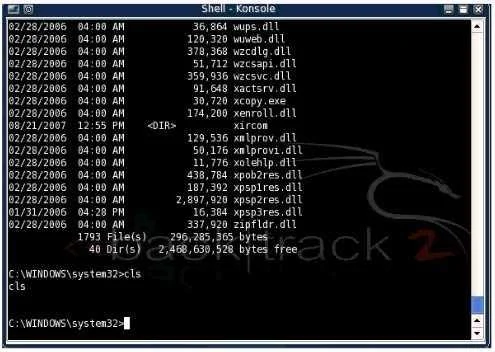
You have connected to a Windows system remotely and have shell access via netcat. While connected to the remote system you notice that some Windows commands work normally while others do not An…
Sign in or unlock GPEN to reveal the answer and full explanation for question #461. The question stem and answer options stay visible for context.
Exploitation & Post-Exploitation Techniques
Question
You have connected to a Windows system remotely and have shell access via netcat. While connected to the remote system you notice that some Windows commands work normally while others do not An example of this is shown in the picture below Which of the following best describes why tins is happening?
Exhibit
Options
- ANetcat cannot properly interpret certain control characters or Unicode sequences.
- BThe listener executed command.com instead of cmd.exe.
- CAnother application is already running on the port Netcat is listening on.
- DTheNetcat listener is running with system level privileges.
Unlock GPEN to see the answer
You've previewed enough free GPEN questions. Unlock GPEN for full answers, explanations, the timed quiz mode, progress tracking, and the master PDF. Question stem and options stay visible so you can still see what's on the exam.
Topics
#Netcat#Windows shell#privilege level#command interpreter