
FCP_FGT_AD-7.6 · Question #99
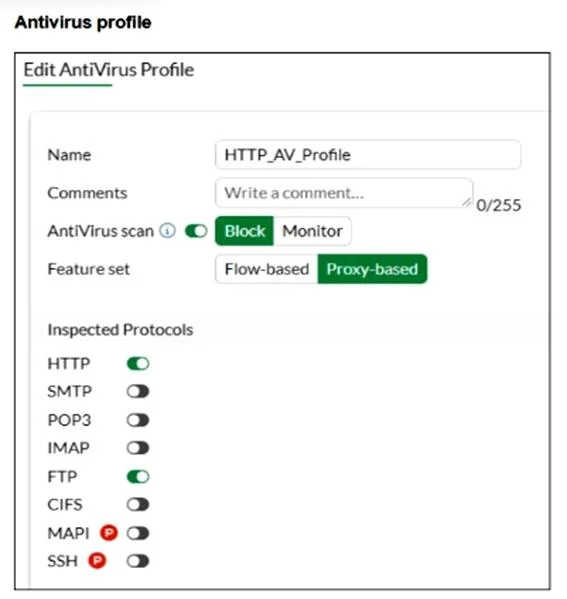
Refer to the exhibits. You are asked to implement an antivirus profile for files downloaded through FTP, HTTP, and HTTPS. While testing, you are successful with HTTP and FTP protocols, but FortiGate…
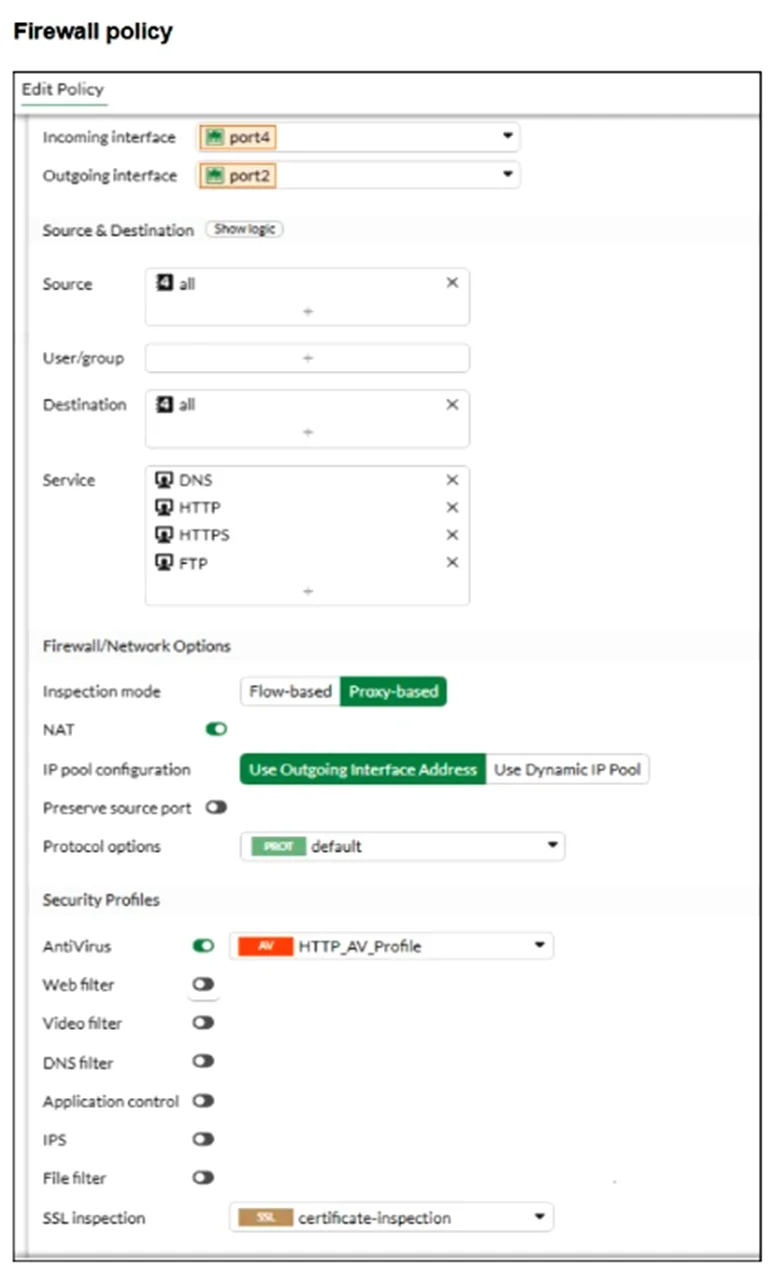
The correct answer is D. The SSL inspection mode in the firewall policy is not deep content inspection. The SSL inspection mode in the firewall policy is set to certificate-inspection, which only examines SSL certificates without decrypting HTTPS traffic. Because of this, FortiGate cannot inspect or block files downloaded over HTTPS, as the content remains encrypted. To enable…
Question
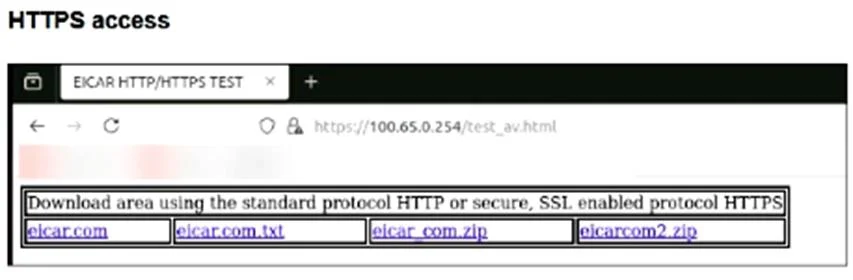
Refer to the exhibits. You are asked to implement an antivirus profile for files downloaded through FTP, HTTP, and HTTPS. While testing, you are successful with HTTP and FTP protocols, but FortiGate does not block the file download over HTTPS. What could be the cause?
Exhibits
Options
- AThe feature set in the antivirus profile is not set to Flow-based.
- BWeb filter is not enabled on the firewall policy to complement the antivirus profile.
- CThe action on the firewall policy is not set to deny.
- DThe SSL inspection mode in the firewall policy is not deep content inspection.
How the community answered
(33 responses)- A6% (2)
- B12% (4)
- C3% (1)
- D79% (26)
Explanation
The SSL inspection mode in the firewall policy is set to certificate-inspection, which only examines SSL certificates without decrypting HTTPS traffic. Because of this, FortiGate cannot inspect or block files downloaded over HTTPS, as the content remains encrypted. To enable antivirus scanning on HTTPS traffic, the SSL inspection mode must be set to deep-inspection, allowing the FortiGate to decrypt, inspect, and re-encrypt the traffic.
Topics
Community Discussion
No community discussion yet for this question.