
DP-300 · Question #57
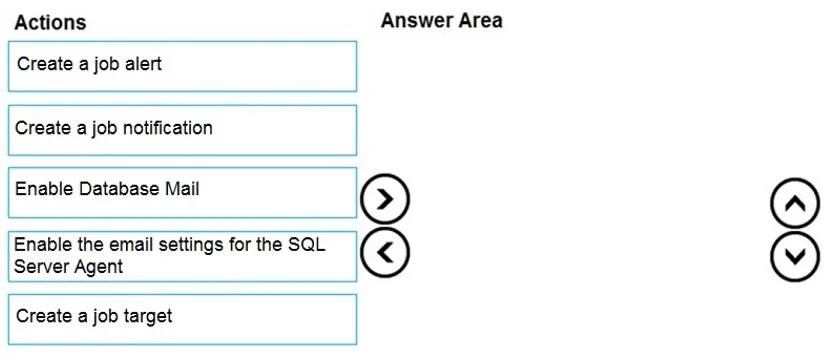
Drag and Drop Question You have SQL Server on an Azure virtual machine named SQL1. SQL1 has an agent job to back up all databases. You add a user named dbadmin1 as a SQL Server Agent operator. You…
The correct answer is Enable Database Mail; Enable the email settings for the SQL Server Agent; Create a job notification. To send email alerts from SQL Server Agent, you must first enable Database Mail (the email infrastructure in SQL Server), then configure SQL Server Agent to use Database Mail by enabling its email settings. Finally, you create a job notification on the specific job that…
Question
Exhibits
Answer Area
Drag items
Correct arrangement
- Enable Database Mail
- Enable the email settings for the SQL Server Agent
- Create a job notification
Explanation
To send email alerts from SQL Server Agent, you must first enable Database Mail (the email infrastructure in SQL Server), then configure SQL Server Agent to use Database Mail by enabling its email settings. Finally, you create a job notification on the specific job that triggers an email to the operator (dbadmin1) when the job fails. This three-step sequence establishes the email pipeline from the ground up before linking it to the job.
Topics
Community Discussion
No community discussion yet for this question.