nerdexam
Microsoft

DP-300 · Question #371

SIMULATION You need to configure a disaster recovery solution for db1. When a failover occurs, the connection strings to the database must remain the same. The secondary server must be in the West…

Active geo-replication is the correct solution because it creates a continuously synchronized readable secondary database in a different Azure region (West US), and when failover occurs, the secondary becomes the new primary while retaining the same logical server connection…

Submitted by lars.no· Mar 6, 2026Design and Implement a High Availability and Disaster Recovery Solution for Azure SQL Database - ensuring business continuity through geo-redundancy and connection string transparency during regional failover events.

Question

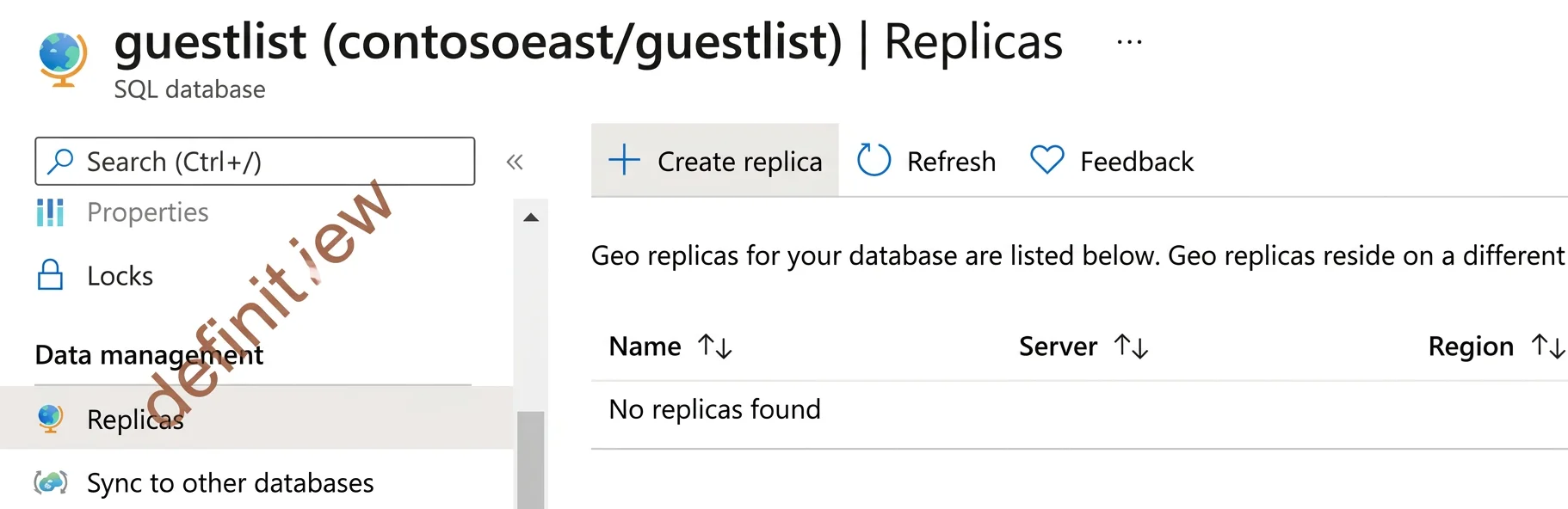
SIMULATION You need to configure a disaster recovery solution for db1. When a failover occurs, the connection strings to the database must remain the same. The secondary server must be in the West US Azure region. To complete this task, sign in to the virtual machine. You may need to use SQL Server Management Studio and the Azure portal. Answer: Configure active geo-replication and failover (Azure SQL Database) You can configure active geo-replication for Azure SQL Database using the Azure portal or Azure CLI and to initiate failover. Add a secondary database The following steps create a new secondary database in a geo-replication partnership. Step 1: In the Azure portal, browse to the database [Here db1] that you want to set up for geo- replication. Step 2: On the SQL Database page, select your database [Here db1], scroll to Data management, select Replicas, and then select Create replica. Step 3: Select or create [Here create] the server for the secondary database, and configure the Compute + storage options if necessary. You can select any region for your secondary server, but we recommend the paired region. For region select: West US 3 Step 4: Click Review + create, review the information, and then click Create. The secondary database is created and the deployment process begins. Reference: https://learn.microsoft.com/en-us/azure/azure-sql/database/active-geo-replication-configure-portal

Exhibit

DP-300 question #371 exhibit

Explanation

Active geo-replication is the correct solution because it creates a continuously synchronized readable secondary database in a different Azure region (West US), and when failover occurs, the secondary becomes the new primary while retaining the same logical server connection endpoint through a failover group - ensuring connection strings remain unchanged. This meets all three requirements: disaster recovery capability, connection string consistency post-failover, and placement of the secondary in West US. Failover groups built on top of active geo-replication provide the stable DNS endpoint that abstracts the underlying primary/secondary role changes, which is precisely why connection strings do not need to be updated after a failover event.

Topics

#Azure SQL Database#Active Geo-Replication#Disaster Recovery#Failover Groups

Community Discussion

No community discussion yet for this question.

Full DP-300 Practice