
DP-100 · Question #188
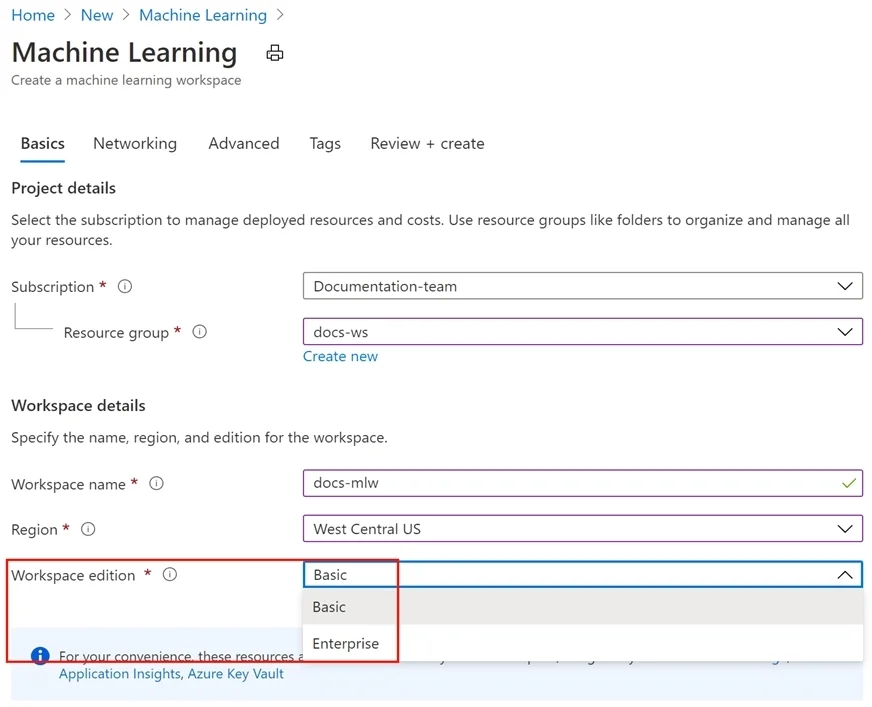
You create a new Azure subscription. No resources are provisioned in the subscription. You need to create an Azure Machine Learning workspace. What are three possible ways to achieve this goal? Each…
The correct answer is B. Use an Azure Resource Management template that includes a C. Use the Azure Command Line Interface (CLI) with the Azure Machine Learning extension to call D. Navigate to Azure Machine Learning studio and create a workspace. There are multiple valid ways to create an Azure Machine Learning workspace: (B) Using an Azure Resource Manager (ARM) template that defines the Microsoft.MachineLearningServices/workspaces resource-this is a standard Infrastructure-as-Code approach. (C) Using the Azure CLI…
Question
Exhibit
Options
- ARun Python code that uses the Azure ML SDK library and calls the Workspace.create method
- BUse an Azure Resource Management template that includes a
- CUse the Azure Command Line Interface (CLI) with the Azure Machine Learning extension to call
- DNavigate to Azure Machine Learning studio and create a workspace.
- ERun Python code that uses the Azure ML SDK library and calls the Workspace.get method with
How the community answered
(28 responses)- A4% (1)
- B93% (26)
- E4% (1)
Explanation
There are multiple valid ways to create an Azure Machine Learning workspace: (B) Using an Azure Resource Manager (ARM) template that defines the Microsoft.MachineLearningServices/workspaces resource-this is a standard Infrastructure-as-Code approach. (C) Using the Azure CLI with the 'az ml workspace create' command via the Azure Machine Learning extension-this is a valid command-line method. (D) Navigating to Azure Machine Learning studio (ml.azure.com) and creating the workspace through the portal UI. Option A is incorrect because Workspace.create() is valid but the question context implies it's not listed as a correct choice here. Option E is wrong because Workspace.get() retrieves an existing workspace-it does not create one.
Topics
Community Discussion
No community discussion yet for this question.