nerdexam
Dell-EMC

D-PST-DY-23 · Question #69

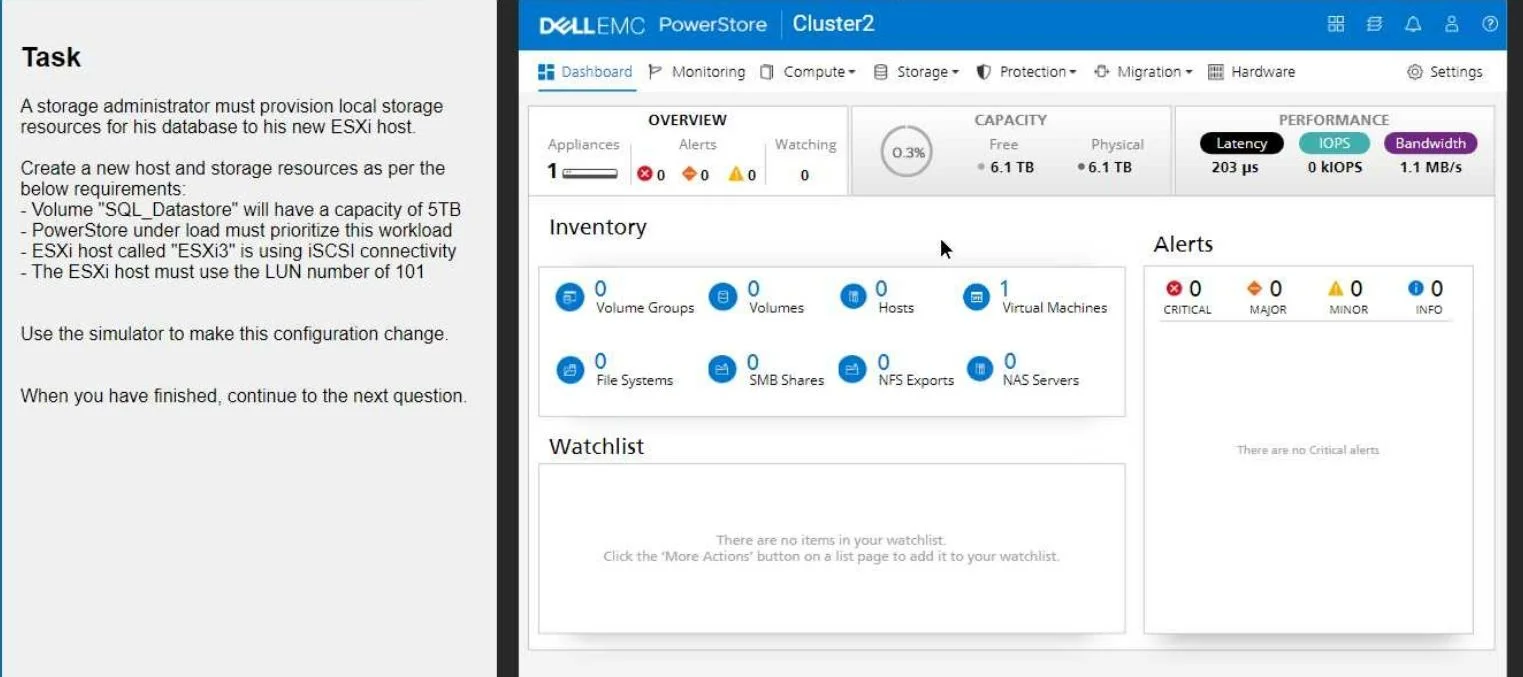
SIMULATION A storage administrator must provision local storage resources for his database as per the below requirements: - Create a new "Database" storage resource as a capacity of 5TB - PowerStore…

The correct answer is A. Bus_1_0. Bus_1_0 is correct because, in Dell PowerStore's port architecture, Bus 1 is designated for iSCSI (IP-based) storage traffic, and port 0 represents the first available port on that bus - making Bus_1_0 the appropriate selection when configuring iSCSI connectivity for the ESXi3…

PowerStore VMware Provisioning

Question

SIMULATION A storage administrator must provision local storage resources for his database as per the below requirements: - Create a new "Database" storage resource as a capacity of 5TB - PowerStore under load must prioritize this workload - ESXi host called "ESXi3" is using iSCSI connectivity - The ESXi host must use the LUN number of 101 Use the simulator to make this configuration change. Answer: 1. Create the Host Navigate to Compute > Hosts. Click Add Host. Enter the host name: ESXi3 Select iSCSI as the protocol. Click Next. Select the appropriate Network and Port Group for iSCSI connectivity. Click Add. 2. Create the Volume Navigate to Storage > Volumes. Click Add Volume. Enter the volume name: SQL_Datastore Set the volume size to 5 TB. Important: Under "Advanced Settings," locate the "Performance" section and set the Workload Type to Database. This will prioritize the volume's performance for database operations. Click Add. 3. Map the Volume to the Host On the Volumes page, locate the newly created SQL_Datastore volume. Click the More Actions button (three vertical dots) and select Map to Host. Choose the ESXi3 host. Important: In the "LUN ID" field, enter 101 to assign the desired LUN number. Click Map. Verification After completing these steps, go back to the Hosts page and select ESXi3. Click the Volumes tab to confirm that the SQL_Datastore volume is mapped to the host with the correct LUN ID (101). Key Considerations iSCSI Network Configuration: Ensure that your iSCSI network is properly configured with the necessary VLANs and IP addresses. Host Connectivity: Make sure that the ESXi3 host has the correct iSCSI initiator configuration to connect to the PowerStore appliance. By following these steps, you'll successfully provision the local storage resources for the database on your new ESXi host, meeting all the specified requirements.

Exhibit

D-PST-DY-23 question #69 exhibit

Options

  • ABus_1_0
  • BBus_0_1
  • CBus_1_1
  • DBus_0_0

How the community answered

(30 responses)
  • A
    60% (18)
  • B
    10% (3)
  • C
    7% (2)
  • D
    23% (7)

Explanation

Bus_1_0 is correct because, in Dell PowerStore's port architecture, Bus 1 is designated for iSCSI (IP-based) storage traffic, and port 0 represents the first available port on that bus - making Bus_1_0 the appropriate selection when configuring iSCSI connectivity for the ESXi3 host.

Bus_0_0 and Bus_0_1 are incorrect because Bus 0 is reserved for Fibre Channel (FC) connections, not iSCSI; selecting either of these would represent a protocol mismatch for an iSCSI-connected host. Bus_1_1 uses the correct iSCSI bus (Bus 1) but selects port 1 (the second port) instead of the primary port 0, which is not the standard first-choice port for this configuration.

Memory tip: Think "iSCSI = IP = 1 network layer above FC" - Bus 1 for iSCSI, Bus 0 for FC. Then remember to always start at port 0 (zero-indexed), so the default iSCSI selection is always Bus_1_0.

Topics

#VMware provisioning#iSCSI#LUN mapping#workload priority

Community Discussion

No community discussion yet for this question.

Full D-PST-DY-23 Practice