
D-PST-DY-23 · Question #55
Drag and Drop Question Place the steps in the correct order to map a PowerStore volume to a NVMe host. Answer:
The correct answer is Add NVMe over TCP Software Adapter; Add Host; Add Controller; Add NVMe volume. Mapping a PowerStore Volume to an NVMe Host - Step-by-Step Explanation Why This Order? The sequence follows a strict bottom-up dependency chain: each step creates a prerequisite that the next step requires. You cannot map storage to something that doesn't exist yet…
Question
Exhibit
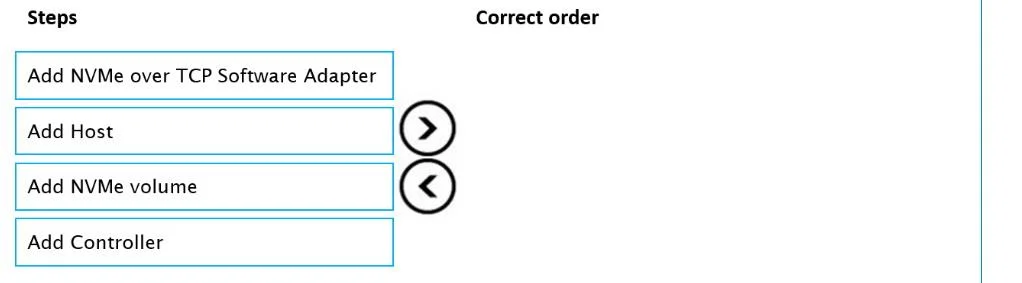
Answer Area
Drag items
Correct arrangement
- Add NVMe over TCP Software Adapter
- Add Host
- Add Controller
- Add NVMe volume
Explanation
Mapping a PowerStore Volume to an NVMe Host - Step-by-Step Explanation
Why This Order?
The sequence follows a strict bottom-up dependency chain: each step creates a prerequisite that the next step requires. You cannot map storage to something that doesn't exist yet.
Step-by-Step Breakdown
Step 1 - Add NVMe over TCP Software Adapter
This is the protocol enablement layer. The host (e.g., ESXi, Linux) needs a software adapter loaded before it can speak NVMe/TCP at all. Without it, the host has no NVMe Qualified Name (NQN) to present, no ability to discover targets, and nothing to register with PowerStore. Every subsequent step depends on this being in place first.
Common mistake: Skipping this and jumping to "Add Host" - PowerStore will have nothing meaningful to register because the host isn't yet NVMe-capable.
Step 2 - Add Host
Once the adapter is active and the host has an NQN, you register the host object in PowerStore. This tells PowerStore which initiator (server) will be granted access to storage. The host definition captures the NQN identity so PowerStore can authenticate and authorize the connection.
Common mistake: Thinking you can add the volume first and assign the host later - volumes require a host target at mapping time.
Step 3 - Add Controller
In NVMe architecture, a controller is the logical entity that bridges the host to the NVMe subsystem. In PowerStore, adding a controller associates the registered host with an NVMe I/O path. This establishes the actual NVMe session/connection context before any namespace (volume) is presented.
Common mistake: Conflating this with a physical hardware controller - this is a logical NVMe controller within PowerStore's software-defined storage layer.
Step 4 - Add NVMe Volume
Only now - with the adapter running, the host registered, and a controller path established - can you create and map the NVMe namespace (volume) to the host. The volume is presented through the controller to the host.
Common mistake: Doing this step second or third. A volume has nowhere to be mapped without a host and controller already defined.
Summary Table
| Order | Step | Why Here |
|---|---|---|
| 1 | Add NVMe over TCP Software Adapter | Enables NVMe protocol on the host; generates NQN |
| 2 | Add Host | Registers the host identity (NQN) in PowerStore |
| 3 | Add Controller | Establishes the logical NVMe I/O path for the host |
| 4 | Add NVMe volume | Maps storage through the now-complete connection chain |
The core principle: protocol → identity → connection → storage. Each layer must exist before the next can be built on top of it.
Topics
Community Discussion
No community discussion yet for this question.