
AZ-500 · Question #576
Hotspot Question You have a Microsoft Entra tenant that contains the users shown in the following table. In Microsoft Entra Privileged Identity Management, the Role settings for the Contributor role…
This question tests understanding of Microsoft Entra Privileged Identity Management (PIM) role assignment types (eligible vs. active), assignment durations, activation requirements, and how Role Settings (like maximum activation duration, MFA requirements, and assignment…
Question
Exhibit
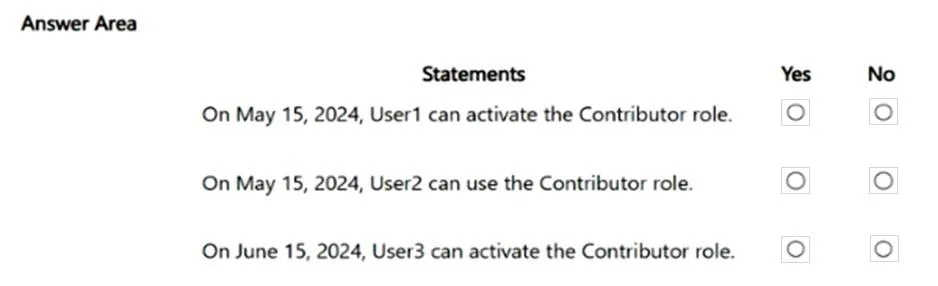
Answer Area
- On May 15, 2024, User1 can activate the Contributor role.
- On May 15, 2024, User2 can use the Contributor role.
- On June 15, 2024, User3 can activate the Contributor role.
Explanation
This question tests understanding of Microsoft Entra Privileged Identity Management (PIM) role assignment types (eligible vs. active), assignment durations, activation requirements, and how Role Settings (like maximum activation duration, MFA requirements, and assignment expiration policies) affect user access.
Approach. To answer each statement correctly, you must cross-reference three data points: (1) the user's assignment type (eligible vs. active) and its expiration date from the assignment table, (2) the Role Settings configured in PIM for the Contributor role (e.g., maximum activation duration, whether permanent eligible/active assignments are allowed, MFA on activation, approval requirements), and (3) the specific date referenced in the statement relative to May 1, 2024. Eligible assignments require the user to activate the role within the configured activation window, subject to settings like MFA and approval. Active assignments grant access immediately without activation. If the Role Settings prohibit permanent assignments and only allow time-bound ones, assignments without an end date would be blocked or auto-expire. Always check whether the assignment end date has passed for the date in the statement, and whether the user needs to take action (activate) or already has standing access.
Concept tested. Microsoft Entra PIM role assignment types (eligible vs. active), role assignment expiration, Role Settings policies (max activation duration, permanent assignment allowance, MFA/approval on activation), and the distinction between having an assignment and having active access to a role.
Topics
Community Discussion
No community discussion yet for this question.