
AZ-500 · Question #567
Hotspot Question You have an Azure subscription that is linked to a Microsoft Entra tenant. The tenant contains the groups shown in the following table. The tenant contains the users shown in the…
This question tests knowledge of Microsoft Entra-only authentication for Azure SQL, group membership inheritance, and how SQL Server administrators are assigned and inherited through Entra ID groups.
Question
Exhibit
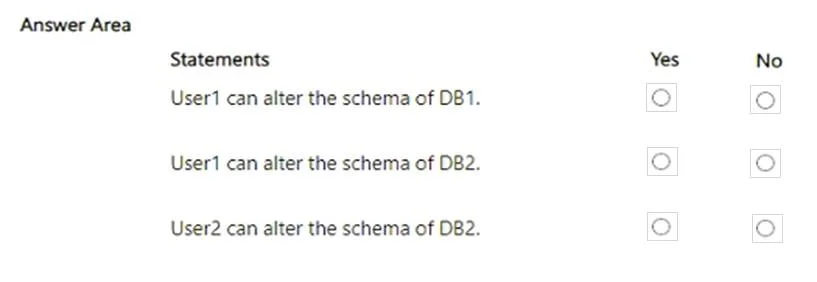
Answer Area
- User1 can alter the schema of DB1.
- User1 can alter the schema of DB2.
- User2 can alter the schema of DB2.
Explanation
This question tests knowledge of Microsoft Entra-only authentication for Azure SQL, group membership inheritance, and how SQL Server administrators are assigned and inherited through Entra ID groups.
Approach. When Azure SQL is configured for Microsoft Entra-only authentication, only Entra ID identities (users, groups, service principals) can authenticate. The SQL Server admin is set at the server level via an Entra ID user or group. If a group is set as the admin, all members (including nested members depending on group type) inherit admin rights. Security groups support nested membership for SQL admin purposes, while dynamic groups and assigned groups behave differently. To determine if a user can connect as admin, trace their direct or indirect membership in the group designated as the Entra admin for that SQL server. If a user is a direct or indirect member of the admin group, they can authenticate; if not, they cannot. Standard SQL logins (username/password) are completely blocked when Entra-only authentication is enabled, so non-Entra accounts have no access regardless of any prior SQL-level permissions.
Concept tested. Microsoft Entra-only authentication for Azure SQL Server, Entra ID group membership (direct vs. nested), and SQL Server admin inheritance through Entra ID groups
Reference. https://learn.microsoft.com/en-us/azure/azure-sql/database/authentication-aad-overview
Topics
Community Discussion
No community discussion yet for this question.