
AZ-500 · Question #530
Hotspot Question You have an Azure subscription that contains an Azure firewall named AzFW1. AzFW1 has a firewall policy named FWPolicy1. You need to add rule collections to FWPolicy1 to meet the…
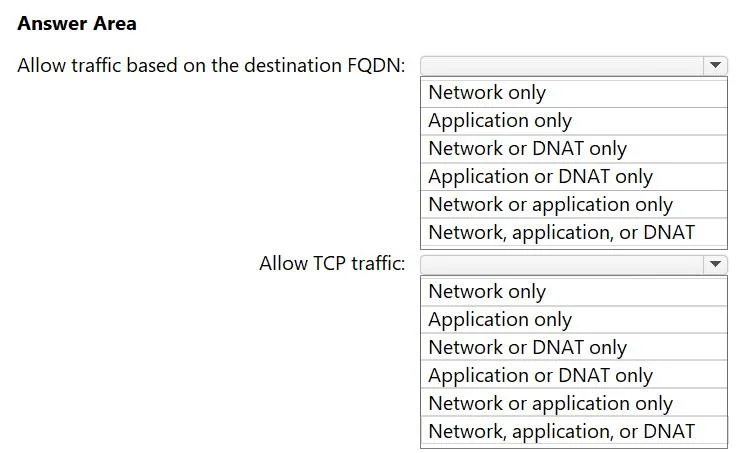
The correct answer is Allow traffic based on the destination FQDN:: Application only; Allow TCP traffic:: Network only. This question tests knowledge of Azure Firewall Policy rule collection types and their capabilities. You must match each requirement to the correct rule collection type: Application or Network.
Question
Exhibit
Answer Area
- Allow traffic based on the destination FQDN:Application onlyNetwork onlyApplication onlyNetwork or DNAT onlyApplication or DNAT onlyNetwork or application onlyNetwork, application, or DNAT
- Allow TCP traffic:Network onlyNetwork onlyApplication onlyNetwork or DNAT onlyApplication or DNAT onlyNetwork or application onlyNetwork, application, or DNAT
Explanation
This question tests knowledge of Azure Firewall Policy rule collection types and their capabilities. You must match each requirement to the correct rule collection type: Application or Network.
Approach. For 'Allow traffic based on the FQDN of the destination,' you should add an Application rule collection. Application rules support FQDN-based filtering and are designed to control outbound HTTP/HTTPS/MSSQL traffic using fully qualified domain names. For 'Allow TCP traffic,' you should add a Network rule collection. Network rules operate at Layer 3/4 and support filtering by IP address, port, and protocol (TCP, UDP, ICMP, Any), but do NOT support FQDN matching (except for a limited FQDN tag feature). Application rules handle FQDNs natively because they use SNI/HTTP Host headers to resolve destinations, while network rules work on raw IP and port combinations.
Concept tested. Azure Firewall Policy rule collection types: Application rule collections support FQDN-based destination filtering (Layer 7), while Network rule collections support protocol-based filtering like TCP/UDP at Layer 3/4. Understanding which rule collection type maps to which traffic control capability is essential for designing Azure Firewall policies.
Reference. https://learn.microsoft.com/en-us/azure/firewall/policy-rule-sets
Topics
Community Discussion
No community discussion yet for this question.