
AZ-500 · Question #493
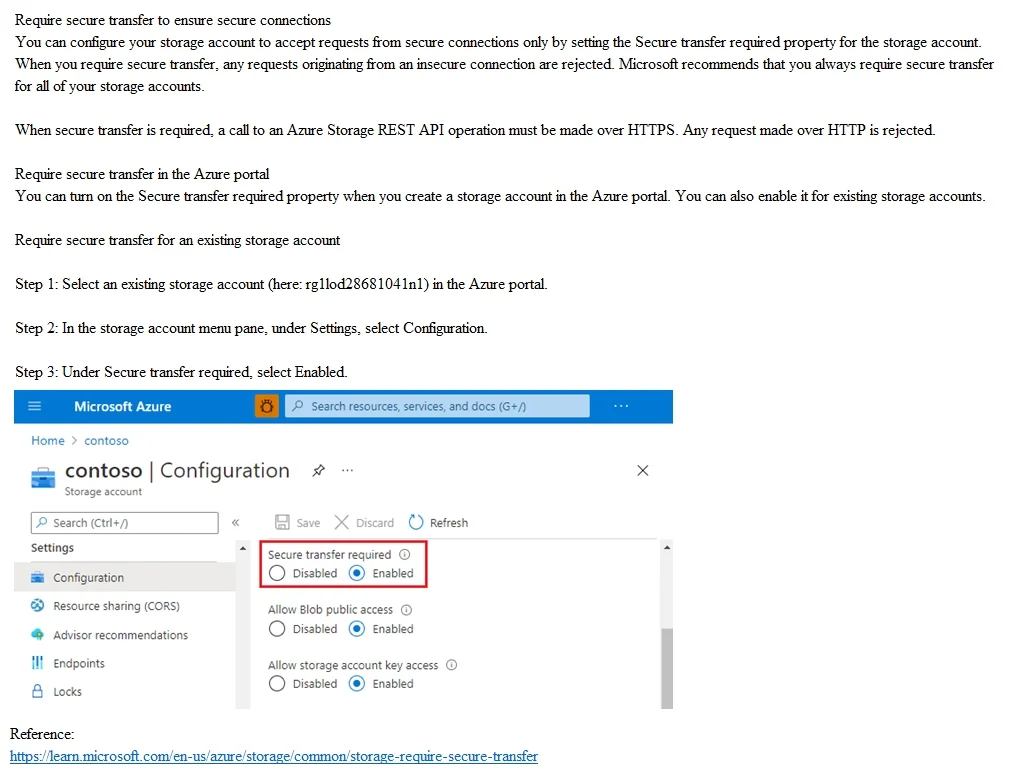
SIMULATION You need to prevent HTTP connections to the rg1lod28681041n1 Azure Storage account. To complete this task, sign in to the Azure portal. Answer:
Enabling 'Secure transfer required' in the Azure Storage account Configuration settings forces all connections to use HTTPS, automatically rejecting any HTTP requests with a 400 error. This is the correct and built-in Azure mechanism to prevent unencrypted HTTP traffic to a…
Question
Exhibit
Explanation
Enabling 'Secure transfer required' in the Azure Storage account Configuration settings forces all connections to use HTTPS, automatically rejecting any HTTP requests with a 400 error. This is the correct and built-in Azure mechanism to prevent unencrypted HTTP traffic to a storage account without needing firewalls or custom rules. The setting is found under Settings > Configuration in the storage account blade, and toggling it to 'Enabled' is all that is required to enforce HTTPS-only access.
Topics
Community Discussion
No community discussion yet for this question.