
AZ-500 · Question #436
Hotspot Question You have an Azure AD tenant named contoso.com that contains the users shown in the following table. You add enterprise applications to contoso.com as shown in the following table…
This question assesses understanding of Azure AD roles, specifically who can grant admin consent for enterprise applications, and how an application's internal 'Grant admin consent setting' impacts this capability.
Question
Exhibit
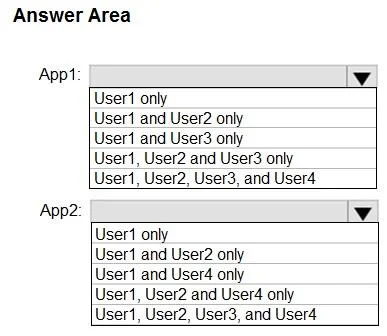
Answer Area
- App1:User1 onlyUser1 and User2 onlyUser1 and User3 onlyUser1, User2 and User3 onlyUser1, User2, User3, and User4
- App2:User1 onlyUser1 and User2 onlyUser1 and User4 onlyUser1, User2 and User4 onlyUser1, User2, User3, and User4
Explanation
This question assesses understanding of Azure AD roles, specifically who can grant admin consent for enterprise applications, and how an application's internal 'Grant admin consent setting' impacts this capability.
Approach. To answer this hotspot question, it's crucial to understand the permissions associated with each Azure AD role regarding application consent, and how specific application settings ('Grant admin consent setting') modify this behavior for interactive consent processes. The core concept is that Global Administrators have comprehensive control, Application Administrators have significant but not absolute control, and other roles cannot grant admin consent. The application's setting acts as a gatekeeper for the standard interactive consent flow.
Concept tested. Azure AD Role-Based Access Control (RBAC) for application management, Admin Consent in Azure AD, and the impact of enterprise application settings on consent flows.
Topics
Community Discussion
No community discussion yet for this question.