
AZ-500 · Question #432
Hotspot Question You have an Azure SQL database named DB1 that contains a table named Tablet. You need to configure DB1 to meet the following requirements: - Sensitive data in Table1 must be…
The correct answer is Auditing = No; Ledger = No; Data Discovery & Classification = Yes; Dynamic Data Masking = Yes; Microsoft Defender for Cloud = No; Transparent data encryption = No; Performance overview = No; Performance recommendations = No; Query Performance Insight = No; Automatic tuning = No; Alerts = No; Metrics = No; Diagnostic settings = No; Logs = No. Azure SQL Security Features - Hotspot Explanation The Two Requirements 1. Auto-identify sensitive data -> Data Discovery & Classification 2. Show only first + last character in query results -> Dynamic Data Masking --- Statement-by-Statement Breakdown | # | Feature | Correct? |…
Question
Exhibit
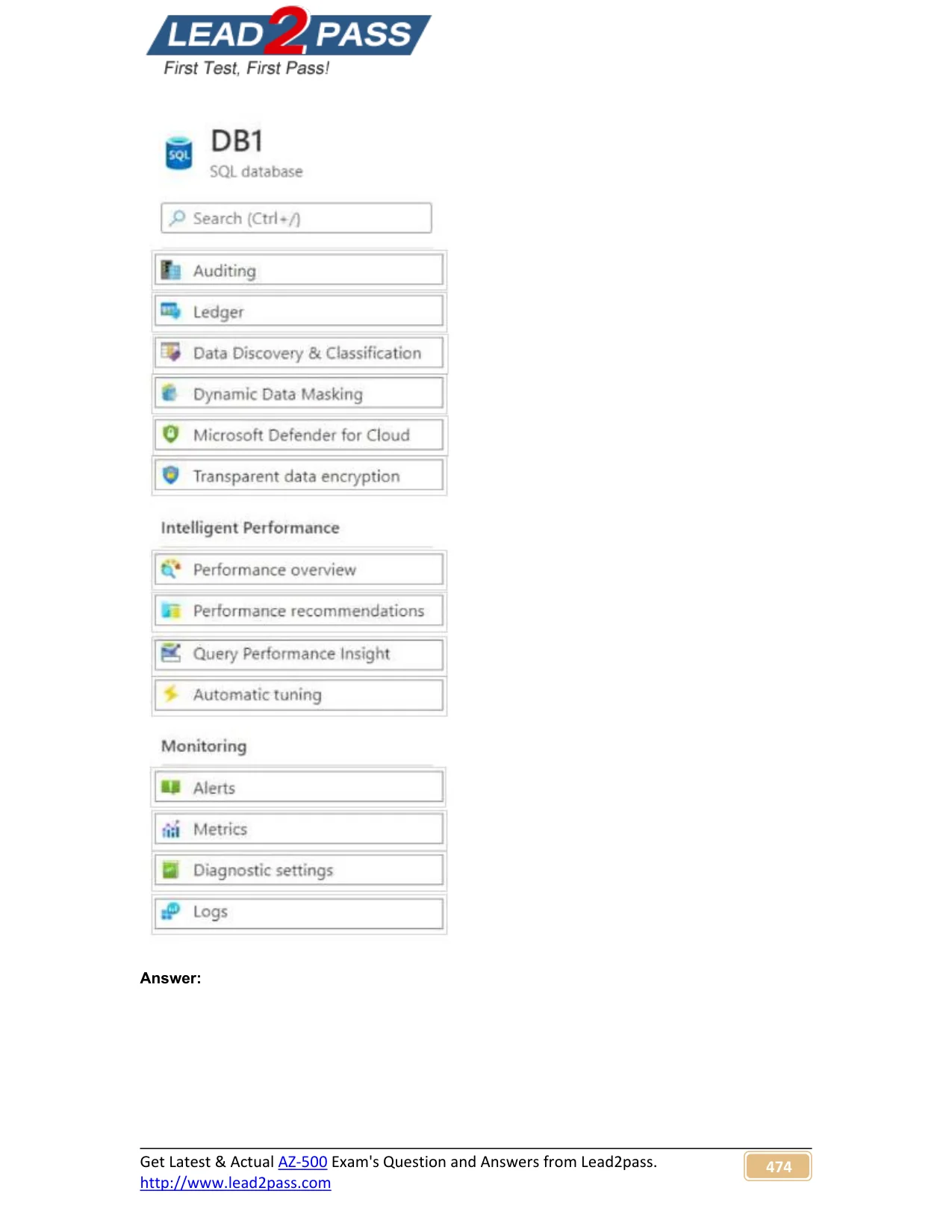
Answer Area
- AuditingNo
- LedgerNo
- Data Discovery & ClassificationYes
- Dynamic Data MaskingYes
- Microsoft Defender for CloudNo
- Transparent data encryptionNo
- Performance overviewNo
- Performance recommendationsNo
- Query Performance InsightNo
- Automatic tuningNo
- AlertsNo
- MetricsNo
- Diagnostic settingsNo
- LogsNo
Explanation
Azure SQL Security Features - Hotspot Explanation
The Two Requirements
- Auto-identify sensitive data ->
Data Discovery & Classification - Show only first + last character in query results ->
Dynamic Data Masking
Statement-by-Statement Breakdown
| # | Feature | Correct? | Why |
|---|---|---|---|
| 1 | Auditing | No | Records who accessed what and when - tracking/logging, not identification or masking |
| 2 | Ledger | No | Provides tamper-evident, cryptographically verified history of data changes - integrity, not sensitivity |
| 3 | Data Discovery & Classification | Yes | Automatically scans and labels columns containing sensitive data (PII, credit cards, etc.) using built-in rules |
| 4 | Dynamic Data Masking | Yes | Controls what data is displayed in query results - the "partial" mask shows first + last characters (prefix mask) |
| 5 | Microsoft Defender for Cloud | No | Threat detection and security posture management - alerts on attacks, not column-level masking |
| 6 | Transparent Data Encryption | No | Encrypts data at rest on disk - fully transparent to queries, no display effect |
| 7 | Performance Overview | No | Monitoring dashboard - unrelated to data sensitivity |
| 8 | Performance Recommendations | No | Suggests index/query improvements - unrelated |
| 9 | Query Performance Insight | No | Analyzes slow queries - unrelated |
| 10 | Automatic Tuning | No | Auto-applies index and plan optimizations - unrelated |
| 11 | Alerts | No | Metric-based notifications - unrelated to data masking |
| 12 | Metrics | No | CPU/DTU/storage telemetry - unrelated |
| 13 | Diagnostic Settings | No | Routes logs/metrics to Log Analytics or Storage - unrelated |
| 14 | Logs | No | Activity and resource logs - unrelated |
Deep Dive: The Two Correct Features
Data Discovery & Classification
- Scans your database and recommends sensitivity labels (e.g.,
Confidential,Highly Confidential) - Labels persist as metadata on the column
- Keyword: "identified automatically"
Dynamic Data Masking
- Does not encrypt - data is stored in plain text, but masked at query time for non-privileged users
- The "Custom String" mask lets you configure
prefix+suffixcharacters, which is exactly "first and last character visible" - Built-in mask types: Default, Email, Random, Custom String
- Keyword: "displayed in query results"
Memory Tips
"Classify to find it, Mask to hide it"
- Discovery & Classification = find sensitive columns
- Dynamic Data Masking = hide (partially) what's returned
TDE vs DDM confusion: TDE = data encrypted on disk (at rest), invisible to queries. DDM = data looks different in query results to certain users.
Auditing vs Classification: Auditing answers "who touched it?" - Classification answers "what IS it?"
Topics
Community Discussion
No community discussion yet for this question.