
AZ-500 · Question #389
Hotspot Question You have an Azure subscription that contains a resource group named RG1. RG1 contains a virtual machine named VM1 that uses Azure Active Directory (Azure AD) authentication. You…
This question tests understanding of Azure RBAC custom role permissions, including Actions, NotActions, DataActions, and how multiple role assignments combine (additive permissions) for users managing a VM with Azure AD authentication.
Question
Exhibits
Answer Area
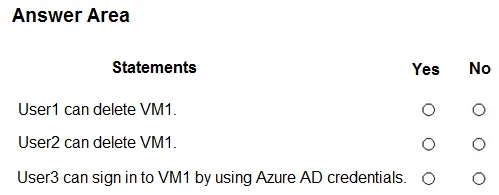
- User1 can delete VM1.
- User2 can delete VM1.
- User3 can sign in to VM1 by using Azure AD credentials.
Explanation
This question tests understanding of Azure RBAC custom role permissions, including Actions, NotActions, DataActions, and how multiple role assignments combine (additive permissions) for users managing a VM with Azure AD authentication.
Approach. In Azure RBAC, permissions are additive - when a user has multiple roles, their effective permissions are the union of all roles assigned. However, NotActions subtract from Actions within the same role definition (not across roles). Role1 typically contains permissions like Microsoft.Compute/virtualMachines/read and write actions, while Role2 may contain login-related DataActions such as Microsoft.Compute/virtualMachines/login/action or adminLogin/action. User1 with only Role1 can manage the VM but cannot log in via Azure AD. User2 with only Role2 can log in but may lack management permissions. User3 with both Role1 and Role2 gets combined effective permissions - able to both manage and log in. For each statement, evaluate whether the user's assigned role(s) include the specific Action or DataAction being tested: VM management actions (start/stop/read) come from Actions in Role1, while Azure AD login capability comes from DataActions in Role2. NotActions in either role would remove specific permissions from that role's grant.
Concept tested. Azure RBAC custom role evaluation: additive permissions across multiple role assignments, distinction between Actions vs DataActions (especially for Azure AD VM login), and how NotActions modify permissions within a single role definition rather than overriding permissions granted by other roles.
Reference. https://learn.microsoft.com/en-us/azure/role-based-access-control/role-definitions and https://learn.microsoft.com/en-us/azure/active-directory/devices/howto-vm-sign-in-azure-ad-windows
Topics
Community Discussion
No community discussion yet for this question.