
AZ-500 · Question #219
Hotspot Question You have an Azure key vault named KeyVault1 that contains the items shown in the following table. In KeyVault, the following events occur in sequence: - Item1 is deleted…
This question tests understanding of Azure Key Vault soft delete behavior, including when soft delete is enabled after items are already deleted, and what types of items are protected by soft delete.
Question
Exhibit
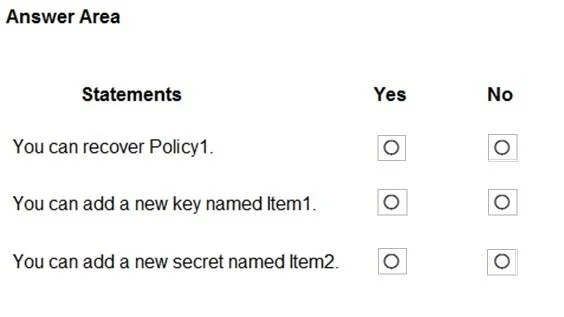
Answer Area
- You can recover Policy1.
- You can add a new key named Item1.
- You can add a new secret named Item2.
Explanation
This question tests understanding of Azure Key Vault soft delete behavior, including when soft delete is enabled after items are already deleted, and what types of items are protected by soft delete.
Approach. Azure Key Vault soft delete only protects items deleted AFTER soft delete is enabled. Item1 was deleted BEFORE soft delete was enabled, so it cannot be recovered via soft delete - statement about recovering Item1 is No. Item2 was deleted AFTER soft delete was enabled, so it can be recovered - statement about recovering Item2 is Yes. Access policies (Policy1) are NOT protected by soft delete; soft delete only applies to keys, secrets, and certificates - statement about recovering Policy1 is No. The key rule is: soft delete must be enabled at the time of deletion for it to apply, and it only covers keys, secrets, and certificates, not access policies or other vault configuration items.
Concept tested. Azure Key Vault soft delete functionality - specifically the timing of soft delete enablement relative to item deletion, and which item types (keys, secrets, certificates) are covered by soft delete versus which are not (access policies, vault configurations).
Reference. https://learn.microsoft.com/en-us/azure/key-vault/general/soft-delete-overview
Topics
Community Discussion
No community discussion yet for this question.