
AZ-500 · Question #194
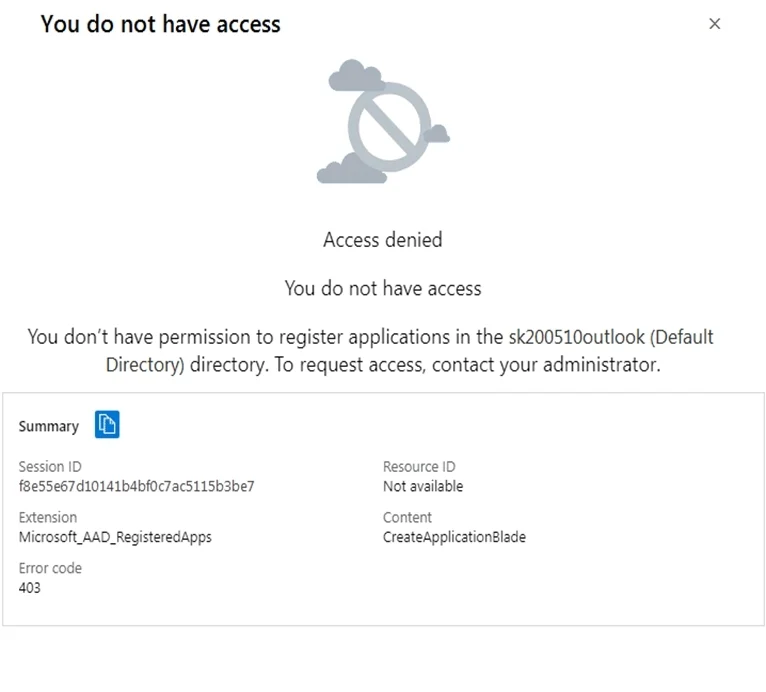
You have an Azure subscription that contains an Azure Active Directory (Azure AD) tenant. When a developer attempts to register an app named App1 in the tenant, the developer receives the error…
The correct answer is D. Modify the User settings. Why D is Correct: When a developer receives an error trying to register an app in Azure AD, it typically means the tenant-level setting restricting app registrations by non-admin users is enabled. In User Settings within Azure AD, there is a toggle called "Users can register…
Question
Exhibits
Options
- AModify the Directory properties.
- BSet Enable Security defaults to Yes.
- CConfigure the Consent and permissions settings for enterprise applications.
- DModify the User settings.
How the community answered
(26 responses)- A4% (1)
- C4% (1)
- D92% (24)
Explanation
Why D is Correct: When a developer receives an error trying to register an app in Azure AD, it typically means the tenant-level setting restricting app registrations by non-admin users is enabled. In User Settings within Azure AD, there is a toggle called "Users can register applications" (set to Yes/No). Setting this to Yes allows regular users/developers to register apps without needing admin intervention, directly resolving the issue.
Why the Other Options Are Wrong:
- A (Directory properties): Directory properties control settings like the tenant name, country, and data location - not app registration permissions.
- B (Enable Security Defaults): Security Defaults enforce baseline security policies like MFA; they don't control who can register applications.
- C (Consent and permissions for enterprise applications): This governs how users consent to app permissions (e.g., accessing data), not whether users can register new apps in the first place.
Memory Tip: Think of it this way - "Users register apps, so check User Settings." Whenever a non-admin developer is blocked from registering an app, always look at User Settings → "Users can register applications". If it's set to No, flip it to Yes. This is a common Azure AD governance scenario on the exam.
Topics
Community Discussion
No community discussion yet for this question.