
AZ-500 · Question #183
Drag and Drop Question Your network contains an on-premises Active Directory domain named contoso.com. The domain contains a user named User1. You have an Azure subscription that is linked to an…
The correct answer is Implement Azure AD Connect.; Enable Active Directory Domain Services (AD DS) authentication on storage1.; Assign share-level permissions for share1. The correct sequence begins with implementing Azure AD Connect to synchronize on-premises AD identities (including User1) to Azure AD, bridging the gap between the on-premises domain and the Azure AD tenant. Next, AD DS authentication must be enabled on storage1 to allow the…
Question
Exhibit
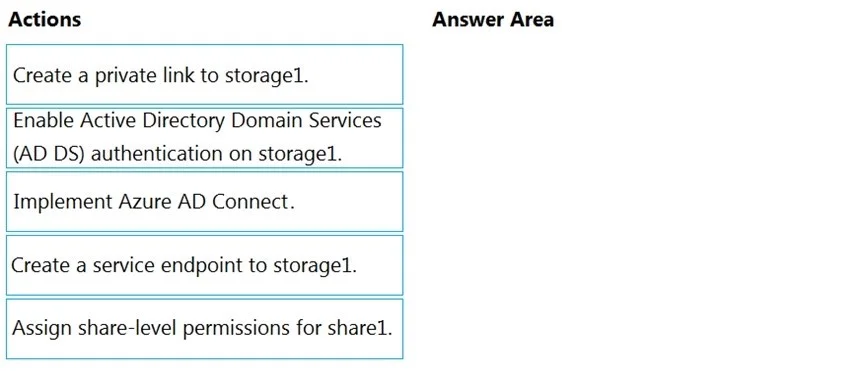
Answer Area
Drag items
Correct arrangement
- Implement Azure AD Connect.
- Enable Active Directory Domain Services (AD DS) authentication on storage1.
- Assign share-level permissions for share1.
Explanation
The correct sequence begins with implementing Azure AD Connect to synchronize on-premises AD identities (including User1) to Azure AD, bridging the gap between the on-premises domain and the Azure AD tenant. Next, AD DS authentication must be enabled on storage1 to allow the storage account to recognize and authenticate domain-joined identities using Kerberos tickets. Finally, share-level permissions must be assigned for share1 so that User1 has the appropriate RBAC role (e.g., Storage File Data SMB Share Reader/Contributor) to access the file share with their domain credentials.
Topics
Community Discussion
No community discussion yet for this question.