
AZ-500 · Question #114
Drag and Drop Question You have an Azure subscription that contains the following resources: - A virtual network named VNET1 that contains two subnets named Subnet1 and Subnet2. - A virtual machine…
The correct answer is Create a new subnet.; Deploy Azure Firewall.; Create a NAT rule collection. To enable Remote Desktop (RDP) access to a VM with only a private IP from the internet, you must first create a dedicated subnet (AzureFirewallSubnet) to host the Azure Firewall, then deploy Azure Firewall into that subnet to act as the internet-facing entry point. Finally, you…
Question
Exhibit
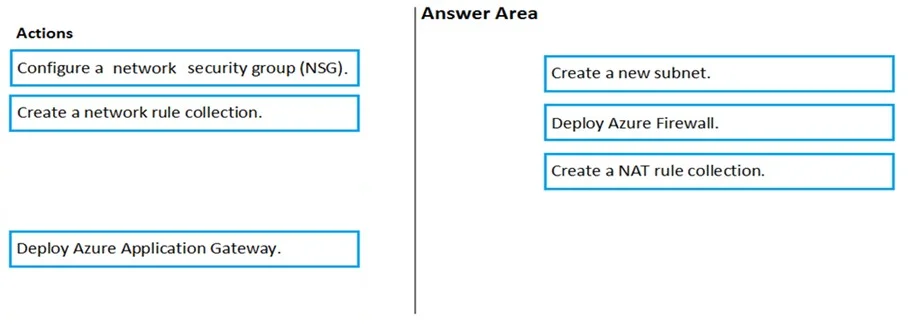
Answer Area
Drag items
Correct arrangement
- Create a new subnet.
- Deploy Azure Firewall.
- Create a NAT rule collection.
Explanation
To enable Remote Desktop (RDP) access to a VM with only a private IP from the internet, you must first create a dedicated subnet (AzureFirewallSubnet) to host the Azure Firewall, then deploy Azure Firewall into that subnet to act as the internet-facing entry point. Finally, you create a NAT rule collection on the Azure Firewall to translate inbound RDP traffic (port 3389) from the firewall's public IP to VM1's private IP address, enabling connectivity. This sequence is necessary because Azure Firewall uses DNAT (Destination Network Address Translation) via NAT rule collections to forward external traffic to internal private resources.
Topics
Community Discussion
No community discussion yet for this question.