
AZ-400 · Question #120
SIMULATION You need to create a virtual machine template in an Azure DevTest Labs environment named az400- 9940427-dtl1. The template must be based on Windows Server 2016 Datacenter. Virtual…
This simulation tests your ability to create a reusable virtual machine template in Azure DevTest Labs that is pre-configured with a specific OS image and tools (Selenium and Chrome), enabling consistent test environments for development teams.
Question
Exhibit
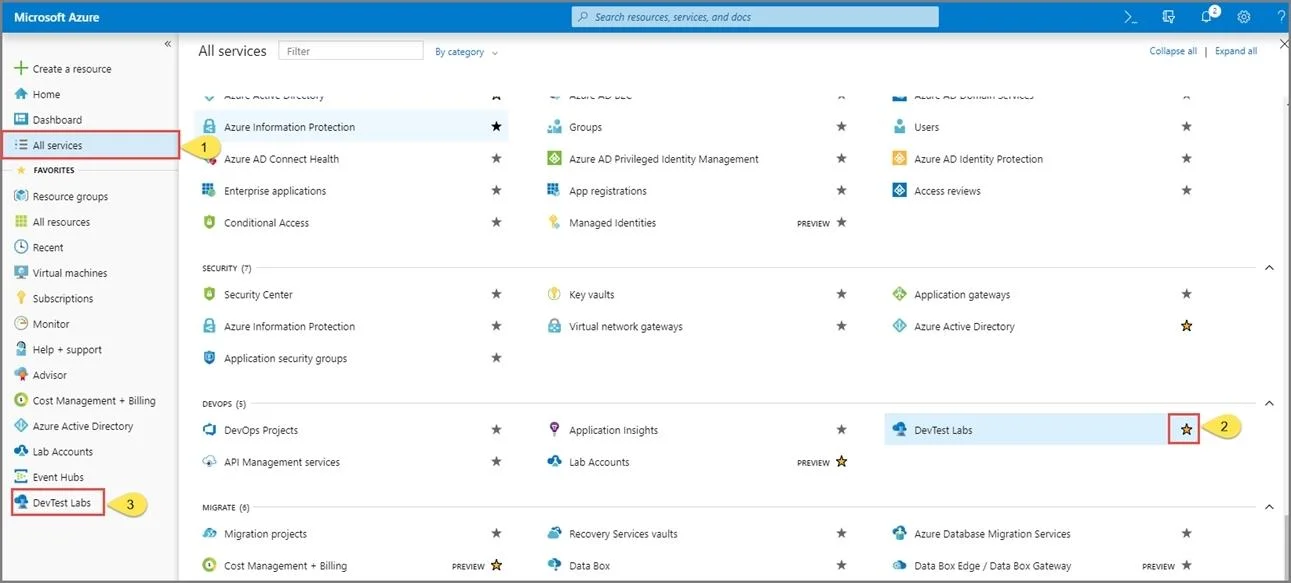
Explanation
This simulation tests your ability to create a reusable virtual machine template in Azure DevTest Labs that is pre-configured with a specific OS image and tools (Selenium and Chrome), enabling consistent test environments for development teams.
Approach. The correct approach is to navigate to the target DevTest Labs instance (az400-9940427-dtl1), add a new VM using the Windows Server 2016 Datacenter base image, then use 'Automation options' to export the underlying Azure Resource Manager (ARM) template. This ARM template (JSON) can be saved and reused as a custom artifact-enabled template. To include Selenium and Google Chrome, you would add the corresponding DevTest Labs artifacts (pre-built install scripts available in the artifact repository) during the VM configuration step before exporting - this embeds the artifact definitions into the JSON template so every VM created from it automatically installs those tools.
Concept tested. Azure DevTest Labs VM template creation using ARM templates and artifacts - specifically, how to define a reusable, pre-configured environment image (base OS + software artifacts) that enforces consistency across developer/tester machines in a CI/CD pipeline context (relevant to AZ-400 DevOps Engineer certification).
Reference. https://docs.microsoft.com/bs-cyrl-ba/azure/lab-services/devtest-lab-vm-powershell
Community Discussion
No community discussion yet for this question.