
AZ-400 · Question #583
Drag and Drop Question You have an Azure subscription that contains multiple users. You need to create an Azure Deployment Environment. The solution must meet the following requirements: - Ensure…
The correct answer is Create a catalog.; Create a dev center.; Attach a managed identity to the dev center and assign roles to the identity.; Create a project environment type. Azure Deployment Environments - Drag-and-Drop Explained Background Azure Deployment Environments lets dev teams self-serve infrastructure using pre-approved templates (stored in catalogs). The setup has a strict dependency chain: each resource depends on something from the…
Question
Exhibits
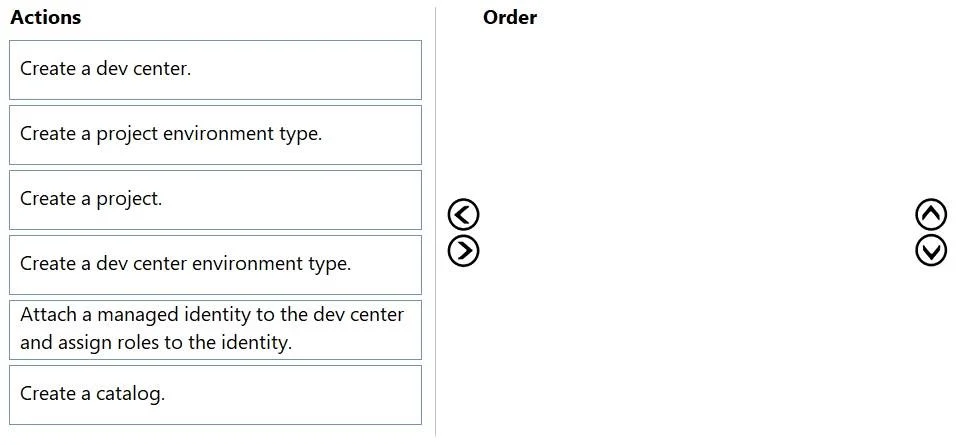
Answer Area
Drag items
Correct arrangement
- Create a catalog.
- Create a dev center.
- Attach a managed identity to the dev center and assign roles to the identity.
- Create a project environment type.
Explanation
Azure Deployment Environments - Drag-and-Drop Explained
Background
Azure Deployment Environments lets dev teams self-serve infrastructure using pre-approved templates (stored in catalogs). The setup has a strict dependency chain: each resource depends on something from the prior step.
Why This Specific Order
Step 1 - Create a catalog
Technical reason: A catalog is a Git repository connection (GitHub or Azure DevOps) containing your Infrastructure-as-Code templates (ARM, Bicep, Terraform). It must exist first because the dev center needs a catalog attached to it in order to serve environment definitions to users. Without templates, there is nothing preconfigured to deploy - violating the first requirement.
Common mistake: People assume you create the dev center first because it's the "top-level" resource. In practice, the catalog is the content that gives the dev center its purpose, so you prepare it first.
Step 2 - Create a dev center
Technical reason: The dev center is the central management hub that houses catalogs, environment types, and projects. It must exist before you can attach identities or configure environment types. You create it after the catalog so you can immediately attach the catalog to it during or after creation.
Common mistake: Confusing "dev center" with "project" - they are separate resources. The dev center is the org-level parent.
Step 3 - Attach a managed identity to the dev center and assign roles to the identity
Technical reason: The dev center uses a managed identity to deploy resources into target subscriptions on behalf of users. Without this, it cannot actually provision anything. Assigning roles at this step (not to individual users) satisfies least privilege - users trigger deployments but the identity holds the deployment permissions, scoped only to what's needed.
Common mistake: Skipping this step or assigning permissions directly to users instead of the managed identity - this violates least privilege and increases administrative overhead.
Step 4 - Create a project environment type
Technical reason: A project environment type maps a dev center environment type to a specific project, specifying which subscription to deploy into and which users can access it. This is the final gate that makes environments available to end users. It cannot exist without the dev center (Step 2) or the managed identity (Step 3), since it references both.
Common mistake: Confusing project environment type with dev center environment type. The dev center environment type is the org-level definition; the project environment type is what actually exposes it to project members. The exam omits "Create a dev center environment type" and "Create a project" as standalone steps because they are either implied or handled as part of the dev center/project environment type setup in this minimal path.
Items Not in the Correct Sequence
| Item | Why Excluded |
|---|---|
| Create a project | Implied prerequisite or not the minimal-path bottleneck the question targets |
| Create a dev center environment type | Subsumed into the dev center setup or not the step that directly enables user access |
Key Principle Check
- Preconfigured environments -> satisfied by the catalog (templates)
- Least privilege -> satisfied by the managed identity holding deployment roles, not users
- Minimize admin effort -> the managed identity + project environment type approach avoids per-user role assignments
Topics
Community Discussion
No community discussion yet for this question.