
AZ-104 · Question #67
You have a Recovery Service vault that you use to test backups. The test backups contain two protected virtual machines. You need to delete the Recovery Services vault. What should you do first?
The correct answer is A. From the Recovery Service vault, stop the backup of each backup item. You can't delete a Recovery Services vault if it is registered to a server and holds backup data. If you try to delete a vault, but can't, the vault is still configured to receive backup data. Remove vault dependencies and delete vault In the vault dashboard menu, scroll down…
Question
Exhibit
Options
- AFrom the Recovery Service vault, stop the backup of each backup item.
- BFrom the Recovery Service vault, delete the backup data.
- CModify the disaster recovery properties of each virtual machine.
- DModify the locks of each virtual machine.
How the community answered
(35 responses)- A83% (29)
- B9% (3)
- C6% (2)
- D3% (1)
Explanation
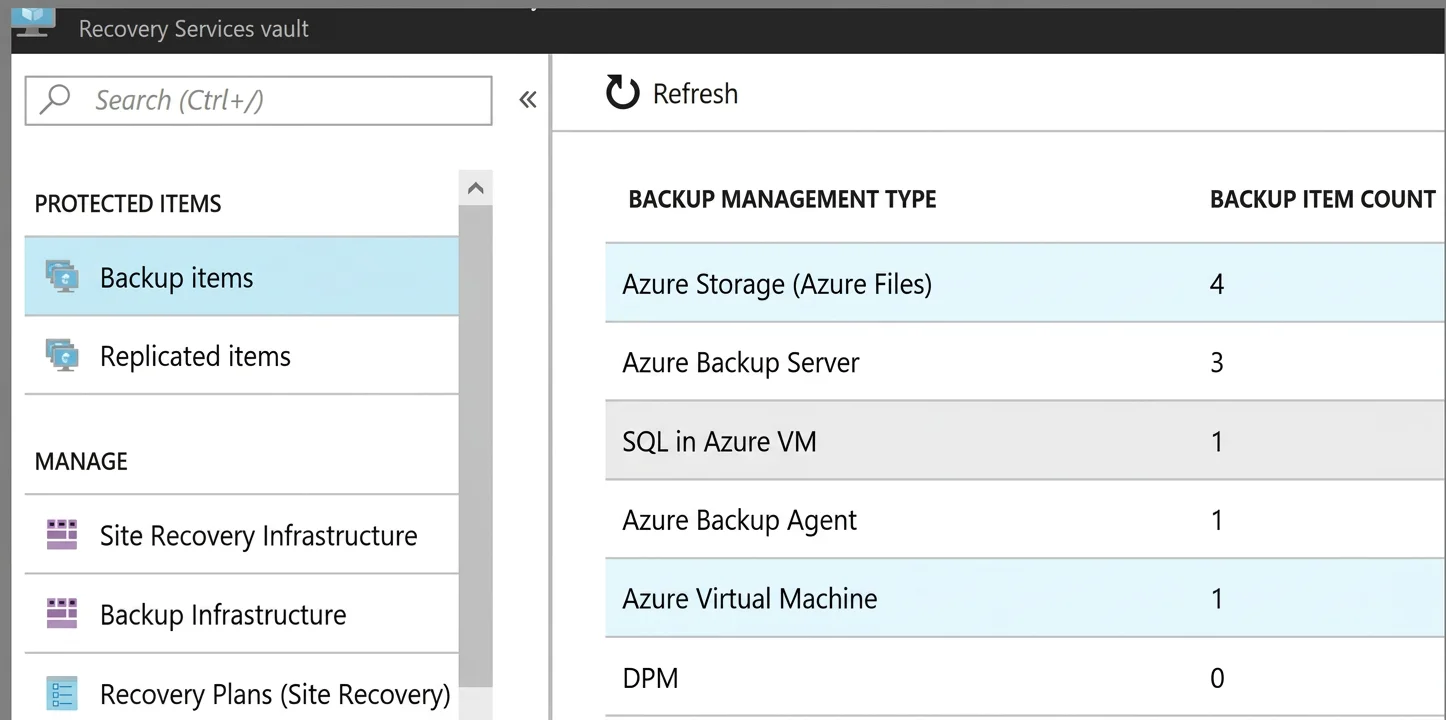
You can't delete a Recovery Services vault if it is registered to a server and holds backup data. If you try to delete a vault, but can't, the vault is still configured to receive backup data. Remove vault dependencies and delete vault In the vault dashboard menu, scroll down to the Protected Items section, and click Backup Items. In this menu, you can stop and delete Azure File Servers, SQL Servers in Azure VM, and Azure virtual machines. You can't delete a Recovery Services vault if it is registered to a server and holds backup data. If you try to delete a vault, but can't, the vault is still configured to receive backup data. Remove vault dependencies and delete vault In the vault dashboard menu, scroll down to the Protected Items section, and click Backup Items. In this menu, you can stop and delete Azure File Servers, SQL Servers in Azure VM, and Azure virtual machines.
Community Discussion
No community discussion yet for this question.