
AZ-104 · Question #471
Note: The question is included in a number of questions that depicts the identical set-up. However, every question has a distinctive result. Establish if the solution satisfies the requirements…
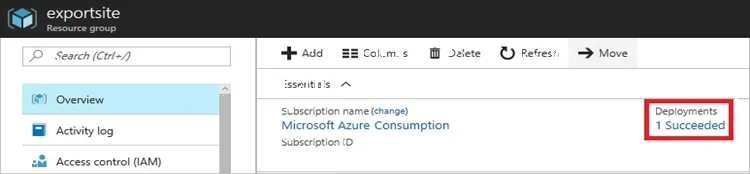
The correct answer is A. Yes. To view a template from deployment history: Go to the resource group for your new resource group. Notice that the portal shows the result of the last deployment. Select this link. You see a history of deployments for the group. In your case, the portal probably lists only one…
Question
Exhibit
Options
- AYes
- BNo
How the community answered
(35 responses)- A89% (31)
- B11% (4)
Explanation
To view a template from deployment history: Go to the resource group for your new resource group. Notice that the portal shows the result of the last deployment. Select this link. You see a history of deployments for the group. In your case, the portal probably lists only one Select this deployment. The portal displays a summary of the deployment. The summary includes the status of the deployment and its operations and the values that you provided for parameters. To see the template that you used for the deployment, select View template. https://docs.microsoft.com/en-us/azure/azure-resource-manager/resource-manager-export-
Community Discussion
No community discussion yet for this question.