
AZ-104 · Question #433
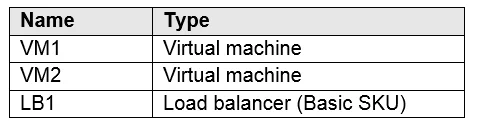
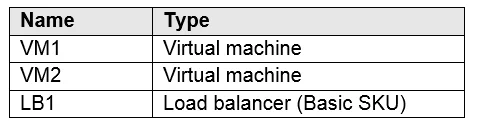
Hotspot Question You have an Azure subscription that contains the resources in the following table. You install the Web Server server role (IIS) on VM1 and VM2, and then add VM1 and VM2 to LB1. LB1…
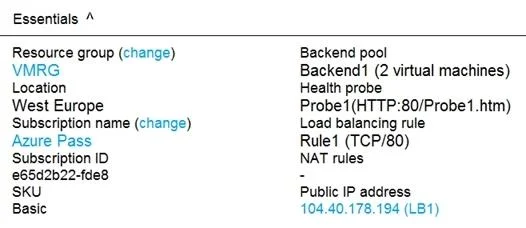
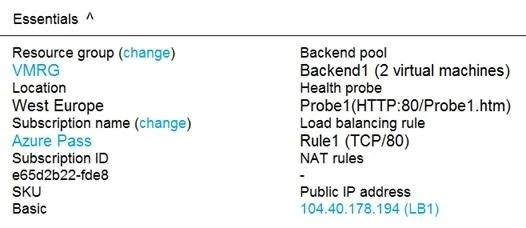
The correct answer is VM1 is in the same availability set as VM2. = Yes; If Probe1.htm is present on VM1 and VM2, LB1 will balance TCP port 80 between VM1 and VM2. = Yes; If you delete Rule1, LB1 will balance all the requests between VM1 and VM2 for all the ports. = No. VM1 and VM2 must be in the same availability set to be added to the same backend pool of an Azure Load Balancer, making the first statement true. Rule1 uses a health probe (Probe1) that checks for Probe1.htm via HTTP, so if that file exists on both VMs, the probe succeeds and…
Question
Exhibits
Answer Area
- VM1 is in the same availability set as VM2.Yes
- If Probe1.htm is present on VM1 and VM2, LB1 will balance TCP port 80 between VM1 and VM2.Yes
- If you delete Rule1, LB1 will balance all the requests between VM1 and VM2 for all the ports.No
Explanation
VM1 and VM2 must be in the same availability set to be added to the same backend pool of an Azure Load Balancer, making the first statement true. Rule1 uses a health probe (Probe1) that checks for Probe1.htm via HTTP, so if that file exists on both VMs, the probe succeeds and LB1 will balance TCP port 80 traffic as configured - making the second statement true. Deleting Rule1 does NOT cause LB1 to balance all ports for all requests; without any load balancing rules, LB1 will not forward any traffic at all, making the third statement false (No).
Topics
Community Discussion
No community discussion yet for this question.