
AZ-104 · Question #301
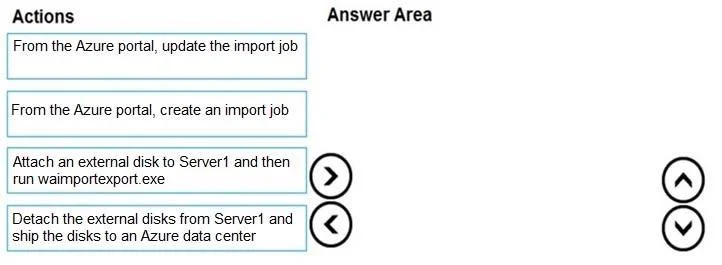
Drag and Drop Question You have an Azure subscription that contains a storage account. You have an on-premises server named Server1 that runs Windows Server 2016. Server1 has 2 TB of data. You need…
The correct answer is Attach an external disk to Server1 and then run waimportexport.exe; From the Azure portal, create an import job; Detach the external disks from Server1 and ship the disks to an Azure data center; From the Azure portal, update the import job. The Azure Import/Export service requires you to first prepare the physical disks using the WAImportExport tool (which copies and encrypts data onto the external disk), then create an import job in the Azure portal to register the shipment and get the shipping address, then…
Question
Exhibit
Answer Area
Drag items
Correct arrangement
- Attach an external disk to Server1 and then run waimportexport.exe
- From the Azure portal, create an import job
- Detach the external disks from Server1 and ship the disks to an Azure data center
- From the Azure portal, update the import job
Explanation
The Azure Import/Export service requires you to first prepare the physical disks using the WAImportExport tool (which copies and encrypts data onto the external disk), then create an import job in the Azure portal to register the shipment and get the shipping address, then physically ship the disks to the Azure data center, and finally update the import job with the tracking number so Azure can associate the arriving disks with your job. This sequence ensures the data is prepared before the job exists in Azure, and the job is created before shipping so the data center knows to expect the disks.
Topics
Community Discussion
No community discussion yet for this question.