
AZ-104 · Question #128
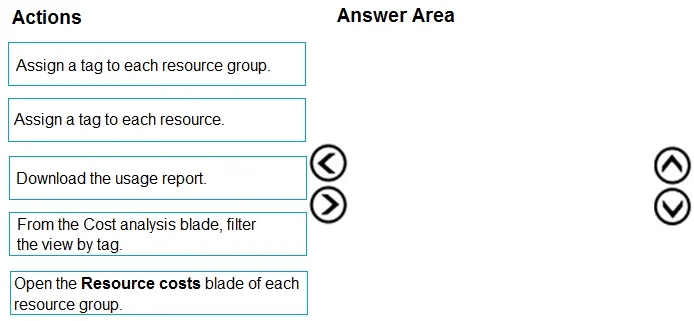
Drag and Drop Question You have an Azure subscription that is used by four departments in your company. The subscription contains 10 resource groups. Each department uses resources in several…
The correct answer is Assign a tag to each resource.; From the Cost analysis blade, filter the view by tag.; Download the usage report. To report costs per department when departments span multiple resource groups, you must first assign tags to each individual resource (not resource groups) to identify which department owns each resource. Then, in Azure Cost Management, you filter the Cost Analysis view by…
Question
Exhibit
Answer Area
Drag items
Correct arrangement
- Assign a tag to each resource.
- From the Cost analysis blade, filter the view by tag.
- Download the usage report.
Explanation
To report costs per department when departments span multiple resource groups, you must first assign tags to each individual resource (not resource groups) to identify which department owns each resource. Then, in Azure Cost Management, you filter the Cost Analysis view by those tags to see a breakdown by department. Finally, you download the usage report to share the cost details with the finance department.
Topics
Community Discussion
No community discussion yet for this question.