
AZ-104 · Question #127
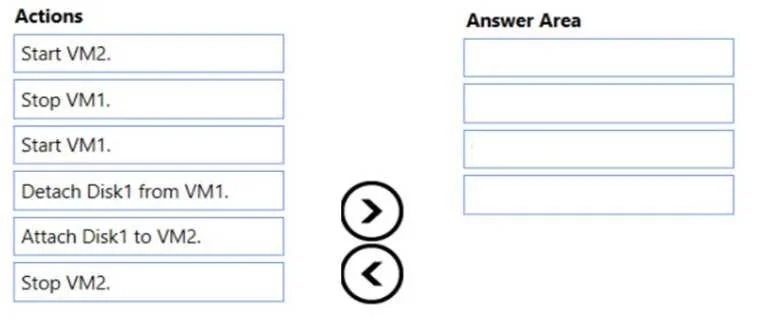
Drag and Drop Question You have two Azure virtual machines named VM1 and VM2. VM1 has a single data disk named Disk1. You need to attach Disk1 to VM2. The solution must minimize downtime for both…
The correct answer is Stop VM1.; Detach Disk1 from VM1.; Start VM1.; Attach Disk1 to VM2. To move Disk1 from VM1 to VM2 with minimal downtime, you must first stop VM1 (to safely detach the disk without data corruption), then detach Disk1 from VM1, then immediately restart VM1 (minimizing its downtime), and finally attach Disk1 to VM2. VM2 does not need to be stopped…
Question
Exhibits
Answer Area
Drag items
Correct arrangement
- Stop VM1.
- Detach Disk1 from VM1.
- Start VM1.
- Attach Disk1 to VM2.
Explanation
To move Disk1 from VM1 to VM2 with minimal downtime, you must first stop VM1 (to safely detach the disk without data corruption), then detach Disk1 from VM1, then immediately restart VM1 (minimizing its downtime), and finally attach Disk1 to VM2. VM2 does not need to be stopped because Azure supports hot-attaching managed data disks to a running VM, which keeps VM2 available throughout the process.
Topics
Community Discussion
No community discussion yet for this question.