
AZ-104 · Question #1
Hotspot Question You have Azure virtual machines that run Windows Server 2019 and are configured as shown in the following table. You create a private Azure DNS zone named adatum.com. You configure…
Azure Private DNS zones configured with auto-registration for a linked virtual network will automatically register only the private IP addresses of VMs in that VNet as A records.
Question
Exhibit
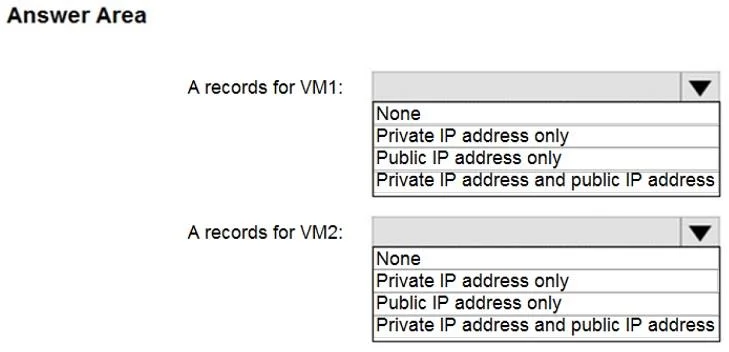
Answer Area
- A records for VM1:NonePrivate IP address onlyPublic IP address onlyPrivate IP address and public IP address
- A records for VM2:NonePrivate IP address onlyPublic IP address onlyPrivate IP address and public IP address
Explanation
Azure Private DNS zones configured with auto-registration for a linked virtual network will automatically register only the private IP addresses of VMs in that VNet as A records.
Approach. For both 'A records for VM1' and 'A records for VM2' dropdown menus, the test-taker must select the option 'Private IP address only'.
Common mistakes.
- common_mistake. A common mistake is to select 'None', which would be incorrect as auto-registration for VMs in the linked VNet is enabled. Choosing 'Public IP address only' or 'Private IP address and public IP address' demonstrates a misunderstanding of Azure Private DNS zone functionality. Private DNS zones are specifically for private IP resolution within Azure virtual networks and do not automatically register public IP addresses. Test-takers might mistakenly assume that all IP addresses associated with a VM (both private and public) would be registered in any DNS zone that applies to the VM.
Concept tested. The core technical concept being tested is the functionality of Azure Private DNS zones, specifically their auto-registration feature, the scope of private DNS resolution (i.e., only private IP addresses are registered automatically), and the requirement for virtual network linking to a private DNS zone for auto-registration to occur.
Topics
Community Discussion
No community discussion yet for this question.