
AI-102 · Question #196
SIMULATION You need to configure bot12345678 support the French (FR-FR) language. Export the bot to C:\Resources\Bot\Bot1.zip. To complete this task, use the Microsoft Bot Framework Composer…
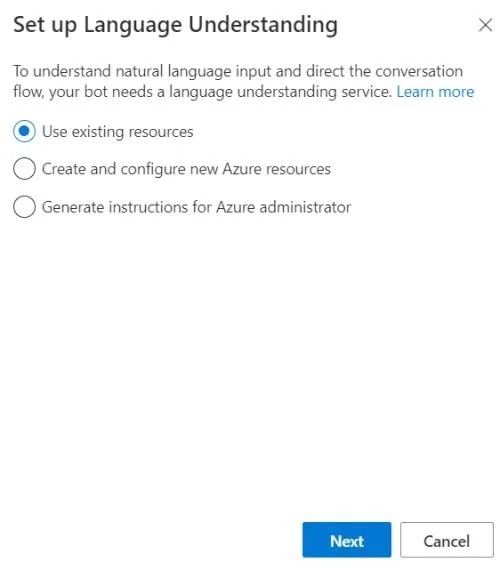
The correct answer follows the precise workflow in Microsoft Bot Framework Composer to configure a Language Understanding (LUIS) resource for a specific language (French FR-FR) by navigating to Configure > Azure Language Understanding tab > Set up Language Understanding, then…
Question
Exhibit
Explanation
The correct answer follows the precise workflow in Microsoft Bot Framework Composer to configure a Language Understanding (LUIS) resource for a specific language (French FR-FR) by navigating to Configure > Azure Language Understanding tab > Set up Language Understanding, then linking existing Azure LUIS resources scoped to the French language. This process correctly associates the bot with a French-language LUIS resource, enabling multilingual support, and the export step packages the configured bot to the specified file path (C:\Resources\Bot\Bot1.zip) for deployment or sharing.
Topics
Community Discussion
No community discussion yet for this question.