
AI-102 · Question #197
SIMULATION You need to configure and publish bot12345678 to answer questions by using the frequently asked questions (FAQ) located at https://docs.microsoft.com/en-us/…
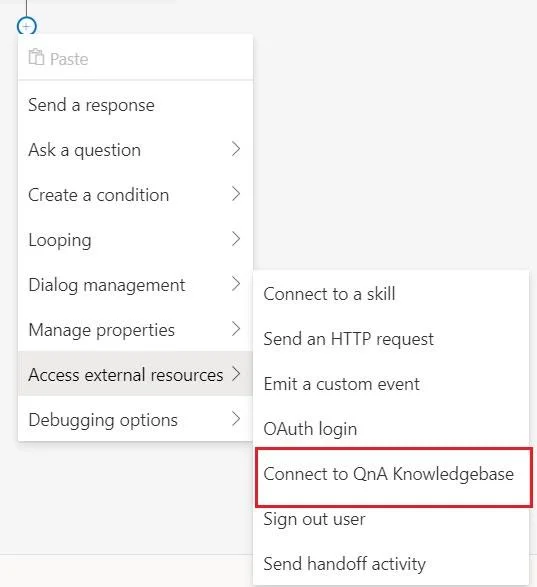
The correct solution follows the proper workflow in Microsoft Bot Framework Composer to integrate QnA Maker with a bot: navigating to Configure > Development Resources to locate Azure QnA Maker settings, then using the 'Connect to QnA Knowledgebase' action under 'Access…
Question
Exhibit
Explanation
The correct solution follows the proper workflow in Microsoft Bot Framework Composer to integrate QnA Maker with a bot: navigating to Configure > Development Resources to locate Azure QnA Maker settings, then using the 'Connect to QnA Knowledgebase' action under 'Access external resources' to link the specific QnA Maker instance (bot%@lab.LabInstance.Id-qna-qna%). This approach correctly leverages Composer's built-in QnA Maker integration rather than manually coding the connection, and specifying the correct instance name ensures the bot queries the right knowledge base populated from the FAQ URL provided. The FAQ URL (https://docs.microsoft.com/en-us/azure/bot-service/bot-service-resources-bot-framework-faq) serves as the source for the QnA Maker knowledge base, which must be configured and published so the bot can retrieve answers.
Topics
Community Discussion
No community discussion yet for this question.