
800-150 · Question #72
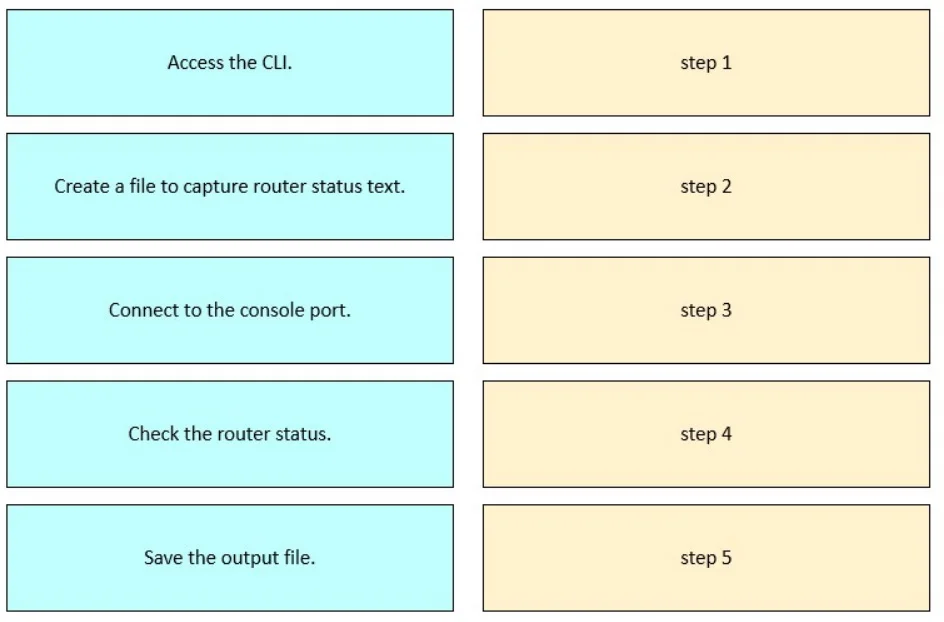
Drag and Drop Question Drag and drop the steps from the left into order to capture the status of a Cisco device. Answer:
The correct answer is Connect to the console port.; Access the CLI.; Create a file to capture router status text.; Check the router status.; Save the output file. Capturing Cisco Device Status - Step-by-Step Explanation The Correct Order and Why 1. Connect to the console port Physical access comes first. Before any software interaction is possible, you need a physical connection to the device - typically via a rollover (console) cable…
Question
Drag and Drop Question Drag and drop the steps from the left into order to capture the status of a Cisco device. Answer:
Exhibit
Answer Area
Drag items
Correct arrangement
- Connect to the console port.
- Access the CLI.
- Create a file to capture router status text.
- Check the router status.
- Save the output file.
Explanation
Capturing Cisco Device Status - Step-by-Step Explanation
The Correct Order and Why
1. Connect to the console port Physical access comes first. Before any software interaction is possible, you need a physical connection to the device - typically via a rollover (console) cable from your PC's serial/USB port to the router's RJ-45 console port. No connection = no CLI access. This is the prerequisite for everything else.
2. Access the CLI Once physically connected, you open terminal emulation software (e.g., PuTTY, SecureCRT, or HyperTerminal) configured for serial communication (9600 baud, 8N1). This gives you the command-line interface prompt. You may need to log in with credentials. The CLI is the interface through which all subsequent actions happen.
3. Create a file to capture router status text Before running any show commands, you must set up logging/capture in your terminal emulator. In PuTTY this is "Session → Logging"; in SecureCRT it's "File → Log Session." If you start the capture after running commands, you miss the output. This step is commonly called terminal logging or session logging.
4. Check the router status
Now you run the actual diagnostic commands - e.g., show version, show ip interface brief, show running-config, show processes cpu, etc. Because logging was already started in step 3, all output is written to the file in real time as it appears on screen.
5. Save the output file After all commands are run, you stop/close the log capture in your terminal emulator. This finalizes and saves the file to disk. On some terminals, the file isn't fully written until logging is explicitly stopped.
Common Mistakes
| Mistake | Why It's Wrong |
|---|---|
| Checking status before creating the capture file | You'll get the output on screen but it won't be saved - you'd have to run all commands again |
| Accessing the CLI before physically connecting | Logically impossible; the terminal emulator has nothing to connect to |
| Saving the file before checking status | The file would be empty or incomplete |
| Skipping the capture file step entirely | Valid for ad-hoc checks, but the question specifically asks about capturing status - implying documentation is required |
Key Takeaway
The underlying principle is physical → logical → prepare to record → record → persist. This mirrors standard IT documentation procedure: establish access, set up logging, then execute, then save.
Topics
Community Discussion
No community discussion yet for this question.