
Microsoft
70-685 · Question #143
You are troubleshooting performance issues on a Windows 7 Enterprise client computer. An unfamiliar service is running on the computer. You need to recommend the solutions that identify which…
Sign in or unlock 70-685 to reveal the answer and full explanation for question #143. The question stem and answer options stay visible for context.
Identify and Resolve Operational Issues
Question
You are troubleshooting performance issues on a Windows 7 Enterprise client computer. An unfamiliar service is running on the computer. You need to recommend the solutions that identify which process identifier (PID) is associated with the service. What should you do? (Choose all that apply.)
Exhibit
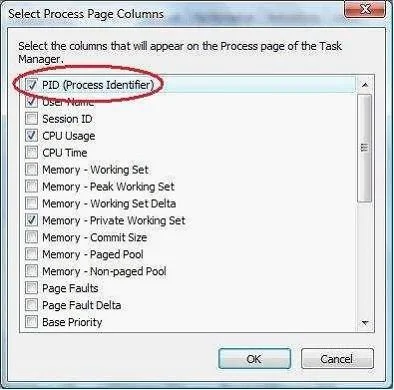
Options
- APun the System Configuration utility (rnsconfig.exe) and view the Services tab.
- BRun the sc query command.
- CUse Windows Task Manager and view the Services tab.
- DRun the sc queryex command.
- ERun the Services management console.
Unlock 70-685 to see the answer
You've previewed enough free 70-685 questions. Unlock 70-685 for full answers, explanations, the timed quiz mode, progress tracking, and the master PDF. Question stem and options stay visible so you can still see what's on the exam.
Topics
#process ID#sc queryex#Task Manager#services