
70-667 · Question #153
Steps to enable Secure Store Service for Excel Using Unattended Accounts
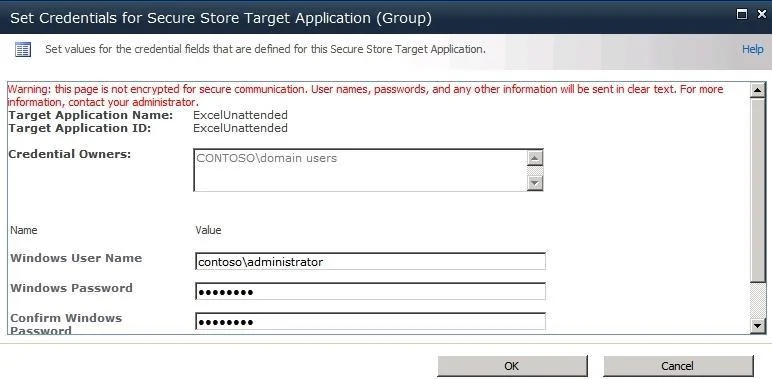
The correct answer is A. To configure you first Configure a data access account then Configure a secure store target application. explains how to configure it) Using the unattended service account involves configuring an Active Directory account and granting it access to your data, storing the credentials for this account in Secure Store, and configuring Excel Services to use the stored credentials when…
Question
Steps to enable Secure Store Service for Excel Using Unattended Accounts
Exhibit
Options
- ATo configure you first Configure a data access account then Configure a secure store target application
- BIn SQL server expand Security, right click logins, and then click new login. In the login name box type
- CIn Central Administrator select Application Management, click Manage service applications.
- DIn data-connected Excel workbook, on the data tab, click connections. Next, go to Workbook
How the community answered
(23 responses)- A74% (17)
- B4% (1)
- C4% (1)
- D17% (4)
Explanation
explains how to configure it) Using the unattended service account involves configuring an Active Directory account and granting it access to your data, storing the credentials for this account in Secure Store, and configuring Excel Services to use the stored credentials when it needs to refresh the data in a
Topics
Community Discussion
No community discussion yet for this question.