
70-663 · Question #6
Your network contains two Exchange Server 2010 Edge Transport server and five Exchange Server 2010 Hub Transport servers. All e-mail sent from your organization to the Internet is transferred by the…
The correct answer is D. Implement Security/Multipurpose Internet Mail Extensions (S/MIME). Encrypt mail on the client so that it's protected before it's ever seen by an SMTP server. That's exactly what S/MIME does. S/MIME is a standard for public-key encryption and signatures of e-mail messages. S/MIME is a client-based encryption and signing protocol that provides…
Question
Your network contains two Exchange Server 2010 Edge Transport server and five Exchange Server 2010 Hub Transport servers. All e-mail sent from your organization to the Internet is transferred by the Edge Transport servers. You need to recommend a security solution for the organization to meet the following requirements:
- Ensure that users can send encrypted messages to any other
organization on the Internet
- Ensure that all Exchange related communication between Hub Transport
servers and Edge Transport servers is encrypted. What should you recommend?
Exhibit
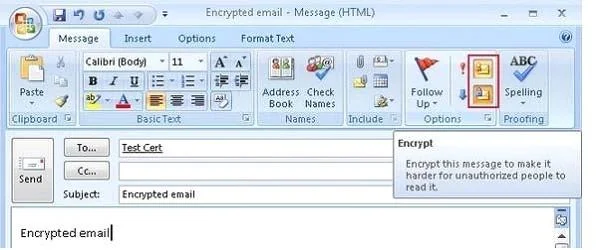
Options
- ADeploy IPsec.
- BDeploy SMTP over SSL.
- CImplement Domain Security.
- DImplement Security/Multipurpose Internet Mail Extensions (S/MIME)
How the community answered
(56 responses)- A13% (7)
- B4% (2)
- C5% (3)
- D79% (44)
Explanation
Encrypt mail on the client so that it's protected before it's ever seen by an SMTP server. That's exactly what S/MIME does. S/MIME is a standard for public-key encryption and signatures of e-mail messages. S/MIME is a client-based encryption and signing protocol that provides end-to-end security from the sending mailbox to the receiving mailbox. Encryption is used to protect the content of a message so that only the intended recipients can read it. Signing a message means that the recipient can verify whether the message has been changed on the way from the sender to the recipient. Implementing S/MIME offers the following abilities: 1- Use digital signatures as a way to prove to your communication partners that the content was 2- Authenticate messages (especially for crucial functions such as when your boss approves your travel requests). 3- Encrypt messages to prevent accidental disclosure of the content. You now need to send a signed email to the other user and vice versa in order for them to be able to decrypt any encrypted emails you may send them. Encryption requires the prior installation of keys at both source and destination server. Microsoft Exchange 2010 has a feature called 'Opportunistic TLS' which is enabled by default upon installation, this feature means Exchange 2010 will negotiate a secured SSL/TLS session wherever possible and encrypt the message. Not always. Just as you can use SSL (a close relative of TLS) to protect an HTTP session, you can use TLS with SMTP to provide both confidentiality and authentication for email traffic. With the valid SSL certificate installed you can assign it to the Exchange Server 2010 services. Choose the services to assign to the certificate. In this example the IIS and SMTP services are If you're planning to implement Exchange 2010 Domain Security to provide secured message paths between Exchange 2010 Edge Transport servers over the Internet, you need real You specify the domain with which you want to send domain-secured e-mail. The Contoso administrator runs the following command on an internal Exchange 2010 server. Set-TransportConfig-TLSSendDomainSecureList woodgrovebank.com
Topics
Community Discussion
No community discussion yet for this question.