
70-663 · Question #234
You have an Exchange Server 2010 Service Pack 1 (SP1) organization that contains one Mailbox server. The organization has 4,000 users. All users connect to their mailbox by using Microsoft Outlook…
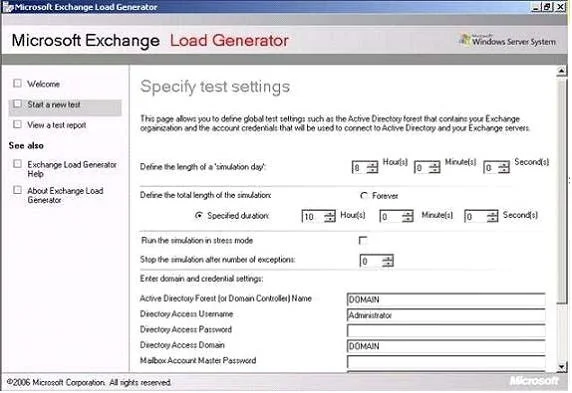
The correct answer is B. Exchange Load Generator E. Exchange Server Jetstress 2010. Exchange Server Load Generator 2010 The Load Generator (LoadGen) tool is designed to produce a simulated client workload against a test Exchange deployment. This workload can be used to evaluate how Exchange performs, and can also be used to analyze the effect of various…
Question
You have an Exchange Server 2010 Service Pack 1 (SP1) organization that contains one Mailbox server. The organization has 4,000 users. All users connect to their mailbox by using Microsoft Outlook 2010. You plan to switch the Mailbox server for a new server. You purchase a new server that runs Windows Server 2008 R2. You install Exchange Server 2010 SP1 on the new server. You need to recommend which tools can identify whether the new server can adequately support the 4,000 mailboxes. Which tools should you recommend? (Choose all that apply.)
Exhibit
Options
- AExchange Pre-deployment Analyzer
- BExchange Load Generator
- CExchange Server Profile Analyzer
- DDeployment Assistant
- EExchange Server Jetstress 2010
How the community answered
(25 responses)- A4% (1)
- B76% (19)
- C4% (1)
- D16% (4)
Explanation
Exchange Server Load Generator 2010 The Load Generator (LoadGen) tool is designed to produce a simulated client workload against a test Exchange deployment. This workload can be used to evaluate how Exchange performs, and can also be used to analyze the effect of various configuration changes on Exchange behavior and performance while the system is under load. LoadGen is capable of simulating Microsoft Office Outlook 2003 (online and cached), Outlook 2007 (online and cached), POP3, IMAP4, SMTP, ActiveSync, and Outlook Web App client activity. It can be used to generate a single-protocol workload, or these client protocols can be combined in some form to generate a multi-protocol workload. Exchange Server Jetstress 2010 The Jetstress tool is designed to simulate Exchange I/O at the database level by interacting directly with the database technology of the Extensible Storage Engine (ESE), also known as Jet, that Exchange is built on. Jetstress can be configured to test the maximum I/O throughput available to your disk subsystem within the required performance constraints of Exchange, or it can accept a desired profile of user count and I/Os per second per user and validate that the disk subsystem is capable of maintaining an acceptable level of performance with such a profile. Jetstress testing can be used to validate storage reliability and performance prior to the deployment of Exchange servers. You should run Jetstress if you are concerned about your storage subsystem performance or if you need to determine a system's I/O capacity. You can download Jetstress from Microsoft Exchange Server Jetstress 2010 (64 bit) and Microsoft.
Topics
Community Discussion
No community discussion yet for this question.