
70-663 · Question #189
A company has an on-premise Exchange Server 2010 SP1 environment and an Active Directory Domain Services (AD DS) domain. Client computers run Microsoft Office Outlook 2003. The company plans to…
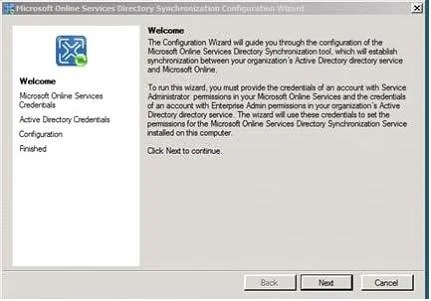
The correct answer is D. Synchronize the AD DS directory from the on-premise environment. For Office 365 customers, the Directory Synchronization (DirSync) tool maintains unified GAL between users on-premises and in the cloud. Dirsync is required to support Single Sign On (SSO) and creates Mail Enabled Users (MEU) in the cloud tenant. Installing Dirsync allows you…
Question
A company has an on-premise Exchange Server 2010 SP1 environment and an Active Directory Domain Services (AD DS) domain. Client computers run Microsoft Office Outlook 2003. The company plans to migrate mailboxes to a cloud-based Exchange Server 2010 SP1 service. You need to recommend a solution for ensuring that the global address list (GAL) in the on- premise and cloud-based environments are identical. What should you recommend?
Exhibit
Options
- ASynchronize the AD DS directory from the cloud-based environment.
- BInstall and configure the Exchange Online Connector for Office Outlook 2003 in the
- CInstall and configure an SMTP connector in the cloud-based environment.
- DSynchronize the AD DS directory from the on-premise environment.
How the community answered
(24 responses)- A17% (4)
- B8% (2)
- C4% (1)
- D71% (17)
Explanation
For Office 365 customers, the Directory Synchronization (DirSync) tool maintains unified GAL between users on-premises and in the cloud. Dirsync is required to support Single Sign On (SSO) and creates Mail Enabled Users (MEU) in the cloud tenant. Installing Dirsync allows you have a unified Global Address List (GAL) between on-premise and cloud (Office 365). It also allows you to on-board/off-board users to and from Office 365 (this requires a 2 way sync). Directory synchronization will occur every 3 hours, but you can force synchronization if required Navigate to C:\Program Files\Microsoft Online Directory Sync and Double-click DirSyncConfigShell.psc1. Then run Start-OnlineCoexistenceSync
Topics
Community Discussion
No community discussion yet for this question.