
70-663 · Question #105
You have an Exchange Server 2010 organization for a company named Contoso, Ltd. Contoso has the following security policy: - Messages that contain the word budget cannot be sent to external…
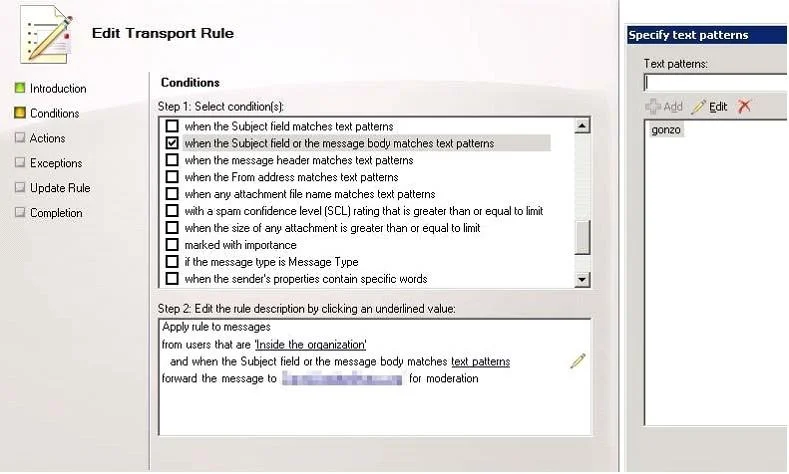
The correct answer is A. Create two transport rules. Transport rule conditions and exceptions consist of one or more predicates. Predicates instruct the Transport Rules agent on a Hub Transport server (or the Edge Rules agent on an Edge Transport server) to examine a specific part of an e-mail message, such as sender, recipients…
Question
You have an Exchange Server 2010 organization for a company named Contoso, Ltd. Contoso has the following security policy:
- Messages that contain the word budget cannot be sent to external
recipients
- Messages that contain the name Northwind Traders must be sent to the
legal department automatically You need to recommend a solution to meet the security policy. What should you recommend?
Exhibit
Options
- ACreate two transport rules.
- BCreate two message classifications.
- CCreate one transport rule and configure a legal hold.
- DCreate one message classification and configure a legal hold.
How the community answered
(32 responses)- A81% (26)
- B9% (3)
- C3% (1)
- D6% (2)
Explanation
Transport rule conditions and exceptions consist of one or more predicates. Predicates instruct the Transport Rules agent on a Hub Transport server (or the Edge Rules agent on an Edge Transport server) to examine a specific part of an e-mail message, such as sender, recipients, subject, other message headers, and message body, to determine whether the rule should be applied to that message. New-TransportRule -Name "Social Security Number Block Rule" - SubjectOrBodyMatchesPatterns '\d\d \d-\d\d-\d\d\d\d' -RejectMessageEnhancedStatusCode "5.7.1" -RejectMessageReasonText " This message has been rejected because of content restrictions" In the initial installation of Exchange 2010, all message classifications are informational only. They aren't associated with any transport rules and only provide additional information about a message to the message recipients. By default, in Exchange 2010, the Microsoft Exchange Transport service doesn't take any special action on the message. However, you can create transport rules based on message classifications. For example, you can configure a transport rule that checks all incoming messages for a specific message classification and direct that these messages be delivered to a designated recipient. For more information, see Create a Transport Message classifications can be logically separated into two classes based on how they are attached to a specific message: 1- A message classification can be manually added by the sender of a message before the message is sent. 2- A message classification can be added as the result of a rule. For example, when the Attachment Filter agent removes an attachment from a message, the Attachment Removed message classification is attached to the message. When the sender receives the message, Outlook 2007 displays an explanation of why the attachment was removed in the recipient description in the InfoBar. As the Exchange administrator, you can customize the recipient
Topics
Community Discussion
No community discussion yet for this question.