
Microsoft
70-497 · Question #40
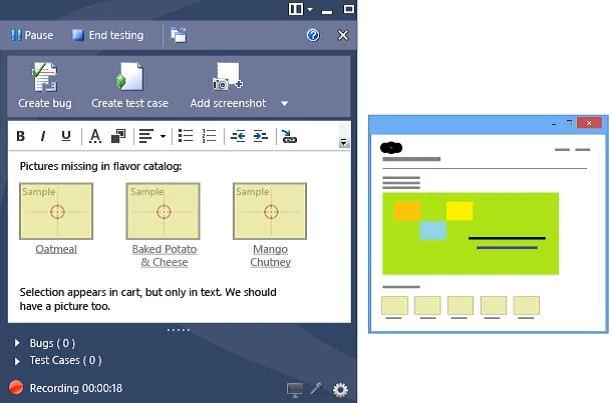
You are using Microsoft Test Manager (MTM) to perform exploratory testing. You need to insert an image into the comment area for the test run. What are two possible ways to accomplish this goal?…
Sign in or unlock 70-497 to reveal the answer and full explanation for question #40. The question stem and answer options stay visible for context.
Implement and manage test execution
Question
You are using Microsoft Test Manager (MTM) to perform exploratory testing. You need to insert an image into the comment area for the test run. What are two possible ways to accomplish this goal? (Each correct answer presents a complete solution. Choose two.)
Exhibit
Options
- AUse the Add screenshot tool in the exploratory test runner and drag the selection box over
- BCapture the image you want to insert by using your favorite screen capture utility and paste
- CCapture the image you want to insert by using your favorite screen capture utility and save
- DCapture the image you want to insert by using your favorite screen capture utility.
Unlock 70-497 to see the answer
You've previewed enough free 70-497 questions. Unlock 70-497 for full answers, explanations, the timed quiz mode, progress tracking, and the master PDF. Question stem and options stay visible so you can still see what's on the exam.
Topics
#exploratory testing#screenshot capture#test runner comments#MTM