
70-332 · Question #14
You need to ensure that users can install apps from the App Catalog. Which permission or permissions should you grant to the users?
The correct answer is B. Manage Web Site and Create Subsites. Installing apps from the SharePoint App Catalog requires the Manage Web Site and Create Subsites permissions, as app installation creates sub-webs and modifies site configuration.
Question
Exhibit
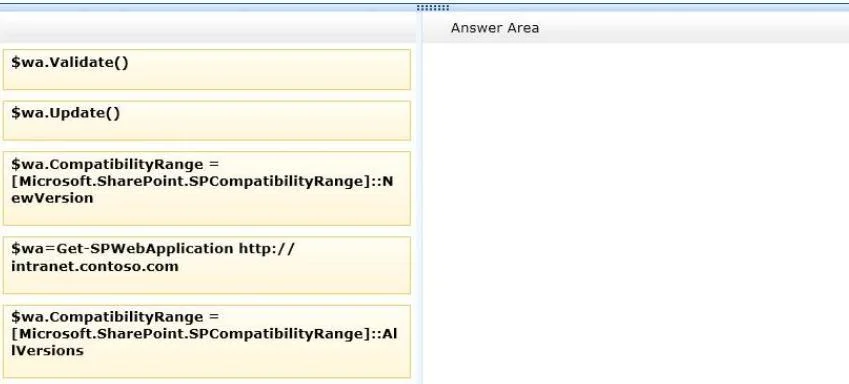
Options
- AUse Client Integration Features
- BManage Web Site and Create Subsites
- CUse Self-Service Site Creation
- DAdd and Customize Pages
How the community answered
(26 responses)- B96% (25)
- C4% (1)
Why each option
Installing apps from the SharePoint App Catalog requires the Manage Web Site and Create Subsites permissions, as app installation creates sub-webs and modifies site configuration.
Use Client Integration Features controls whether users can use client-side Office integration tools such as Open with Explorer, and has no bearing on App Catalog installation.
The Manage Web Site permission grants full control over site settings, and Create Subsites is required because installing an app from the catalog provisions an app web as a subsite. Without both permissions, users cannot complete the app installation workflow. These permissions together satisfy the minimum requirement for a user to install apps in SharePoint 2013.
Use Self-Service Site Creation allows users to create new top-level site collections and is unrelated to installing apps from the catalog on an existing site.
Add and Customize Pages grants the ability to add web part pages and edit pages, but does not authorize the installation of apps from the App Catalog.
Concept tested: SharePoint App Catalog installation permissions
Source: https://learn.microsoft.com/en-us/sharepoint/sites/user-permissions-and-permission-levels
Topics
Community Discussion
No community discussion yet for this question.