
70-332 · Question #88
You have a custom Web Part that retrieves data across multiple task lists. Pages that contain the Web Part load slowly. You need to ensure that pages load as quickly as possible. Which method should…
The correct answer is A. CrossListQueryCache.GetSiteData(SPContext.Current.Site.siteUrl) C. Cache.Get(siteUrl). CrossListQueryCache and the ASP.NET Cache both store query results to avoid repeated database round-trips, directly improving Web Part page load performance.
Question
Exhibit
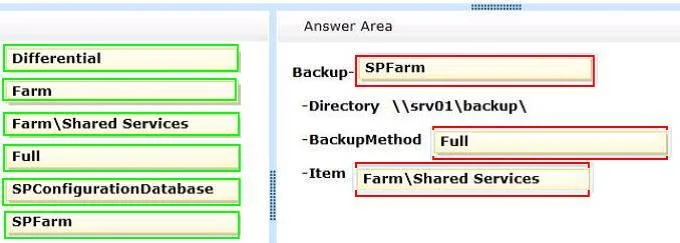
Options
- ACrossListQueryCache.GetSiteData(SPContext.Current.Site.siteUrl)
- BCross ListQneryCache.GetSiteData(SPContext.Current.Site)
- CCache.Get(siteUrl)
- DSPList.GetItems(spQuery)
How the community answered
(30 responses)- A63% (19)
- B10% (3)
- D27% (8)
Why each option
CrossListQueryCache and the ASP.NET Cache both store query results to avoid repeated database round-trips, directly improving Web Part page load performance.
CrossListQueryCache.GetSiteData() aggregates and caches results from multiple lists across the site collection, preventing redundant database calls on each page load. It accepts a site URL string and returns cached results when available, making it an effective solution for cross-list performance.
This option contains a typo ('Cross ListQneryCache') making it syntactically invalid, and it passes an SPSite object rather than the required site URL string.
Cache.Get() retrieves previously stored data from the ASP.NET output or object cache, allowing the Web Part to serve data without hitting the database when the cache is warm.
SPList.GetItems(spQuery) executes a direct database query on every page load with no caching, which is the root cause of the slow performance rather than a solution.
Concept tested: SharePoint cross-list query caching for Web Part performance
Source: https://learn.microsoft.com/en-us/previous-versions/office/developer/sharepoint-2010/ms466176(v=office.14)
Topics
Community Discussion
No community discussion yet for this question.