
300-835 · Question #72
An engineer must automate the creation of daily, 30-minute meetings at 10 AM for the next 50 days. Drag and drop the code snippets from the bottom into the boxes in the Python script to create the…
The options field is empty ({}), so the specific code snippets weren't included in the question. I can still give you a thorough conceptual explanation, and if you paste the actual snippets I can map them precisely. --- Overall Goal The task automates creating 50 recurring…
Question
Exhibit
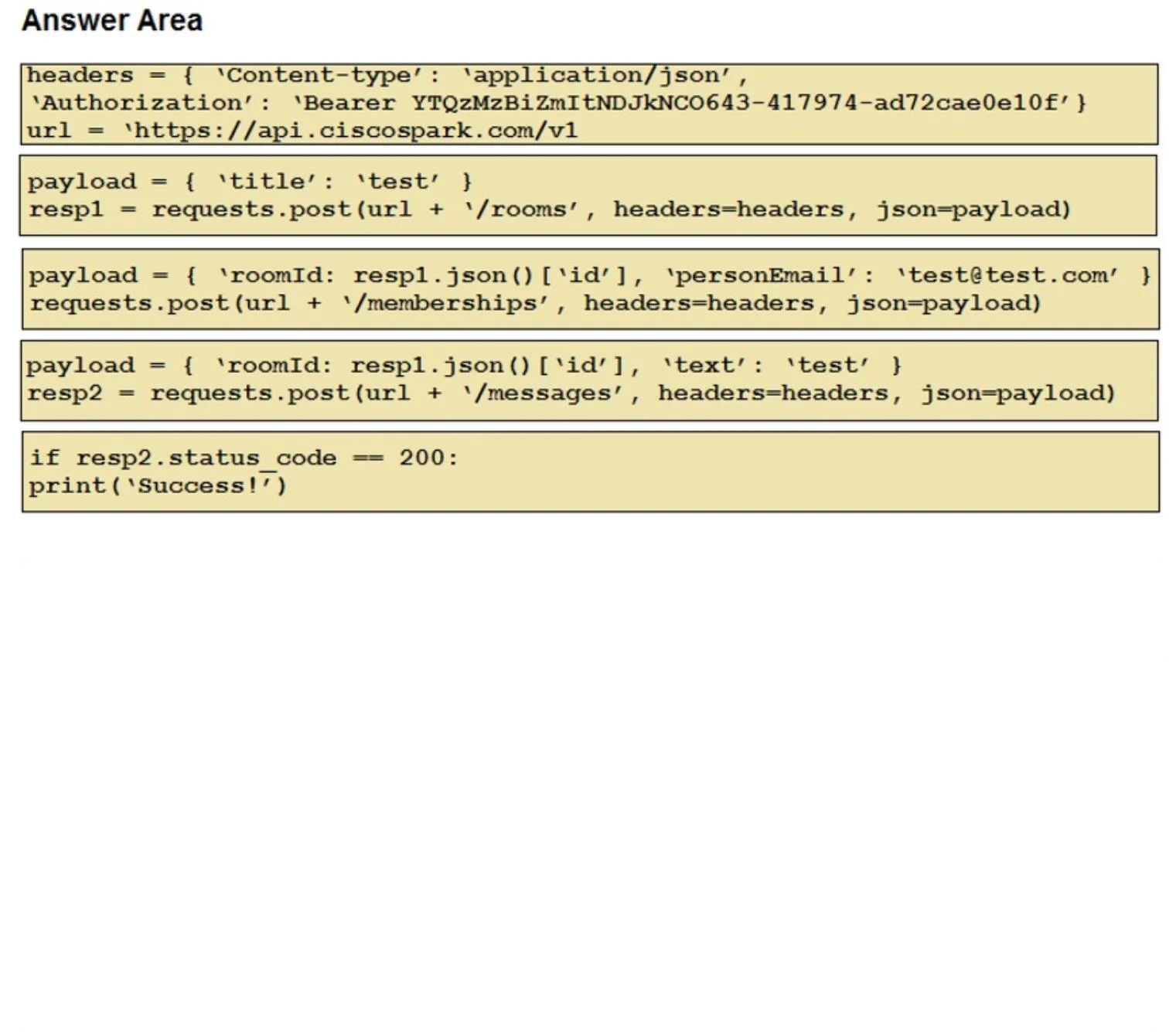
Explanation
The options field is empty ({}), so the specific code snippets weren't included in the question. I can still give you a thorough conceptual explanation, and if you paste the actual snippets I can map them precisely.
Overall Goal
The task automates creating 50 recurring Webex meetings via the Webex Meetings REST API rather than scheduling them manually through the UI. The correct approach is to loop over 50 future dates, compute each meeting's start time, and POST a meeting creation request for each date.
Why This Approach Is Correct
The Webex Meetings API accepts single-instance meetings via POST /meetings. There is no "repeat for N days" parameter, so you must programmatically generate each date and issue one API call per meeting.
Step-by-Step Breakdown
1. Import libraries and set credentials
import requests
from datetime import datetime, timedelta

ACCESS_TOKEN = "your_token_here"
HEADERS = {"Authorization": f"Bearer {ACCESS_TOKEN}", "Content-Type": "application/json"}
Why necessary: requests makes HTTP calls; datetime/timedelta calculates future dates. The Bearer token authenticates every API request - without it, all calls return 401 Unauthorized.
2. Set the base start time
base_date = datetime.now().replace(hour=10, minute=0, second=0, microsecond=0)
Why necessary: Anchors the loop. Every meeting starts at 10:00 AM, so you normalize the time component once rather than repeating it inside the loop.
3. Loop over 50 days
for i in range(1, 51):
    start = base_date + timedelta(days=i)
    end = start + timedelta(minutes=30)
Why necessary: range(1, 51) generates offsets for days 1–50 (tomorrow through 50 days out). timedelta(days=i) advances the date; timedelta(minutes=30) computes the 30-minute end time. Skipping this means only one meeting gets created.
4. Format dates to ISO 8601
    start_str = start.strftime("%Y-%m-%dT%H:%M:%S")
    end_str   = end.strftime("%Y-%m-%dT%H:%M:%S")
Why necessary: The Webex API requires timestamps in ISO 8601 format. Passing a raw Python datetime object causes a serialization error; the API rejects it.
5. Build the request payload
    payload = {
        "title": "Daily Meeting",
        "start": start_str,
        "end": end_str,
        "enabledAutoRecordMeeting": False
    }
Why necessary: title, start, and end are required fields. Without all three, the API returns 400 Bad Request.
6. POST to the Webex Meetings endpoint
    response = requests.post(
        "https://webexapis.com/v1/meetings",
        headers=HEADERS,
        json=payload
    )
    print(response.status_code, response.json())
Why necessary: This is the actual API call that creates the meeting. Using json=payload automatically serializes the dict and sets the correct Content-Type. Logging the response lets you catch failures (e.g., rate limiting, auth errors) per iteration.
What Goes Wrong If Steps Are Skipped
| Skipped Step | Consequence |
|---|---|
| No auth header | 401 on every request |
| No date loop | Only 1 meeting created |
| Wrong date format | 400 Bad Request from API |
Missing end time | Required field error |
| Not printing response | Silent failures go unnoticed |
Memory Tip
"Auth → Anchor → Advance → Format → POST"
- Auth - token in headers
- Anchor - base datetime at 10 AM
- Advance - loop with timedelta
- Format - ISO 8601 strings
- POST - send to
/v1/meetings
If you paste the actual code snippet options, I can tell you exactly which ones fill each blank and why the distractors are wrong.
Topics
Community Discussion
No community discussion yet for this question.