
300-835 · Question #46
Drag and drop the code snippets from the bottom onto the blanks in the code to implement a call using the Cisco Webex REST API to retrieve 10 messages in an organization created between October 10th…
> Note: The answer options appear to be missing from your message - they were provided as {} (empty). I'll explain the concept thoroughly based on what I know of the Webex REST API, so this still serves as a complete study guide. --- Overall Goal You're making an authenticated…
Question
Exhibits
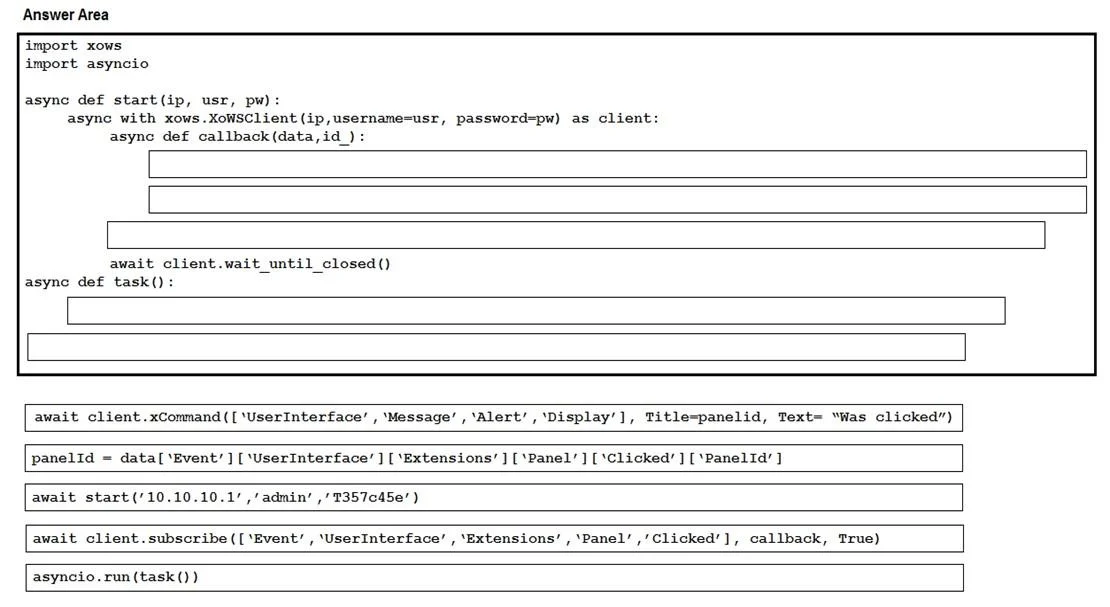
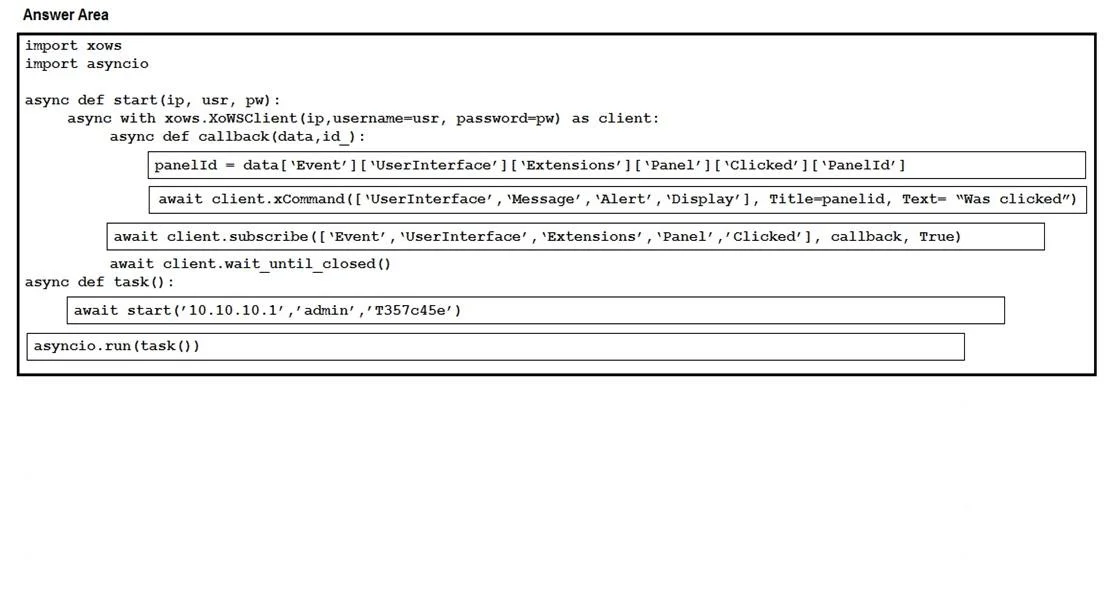
Explanation
Note: The answer options appear to be missing from your message - they were provided as
{}(empty). I'll explain the concept thoroughly based on what I know of the Webex REST API, so this still serves as a complete study guide.
Overall Goal
You're making an authenticated HTTP GET request to the Cisco Webex Messages API to retrieve a filtered, paginated list of messages - specifically 10 messages created between two dates. This is the correct approach because the Webex REST API exposes a /messages endpoint that accepts query parameters for filtering by date range and limiting result count.
The Anatomy of This API Call
A correct implementation looks like this (typically in Python with requests):
import requests

url = "https://webexapis.com/v1/messages"

headers = {
    "Authorization": "Bearer <your_access_token>",
    "Content-Type": "application/json"
}

params = {
    "roomId": "<room_id>",      # required
    "max": 10,                   # limit to 10 results
    "after": "2019-10-10",       # created after Oct 10
    "before": "2019-10-12"       # created before Oct 12
}

response = requests.get(url, headers=headers, params=params)
print(response.json())
Step-by-Step Explanation
1. Set the correct endpoint URL
https://webexapis.com/v1/messages
Why: This is the official Webex REST API base URL. The /messages resource is the specific collection you're querying. Using the wrong URL or an older deprecated domain (api.ciscospark.com) would result in a failed or misdirected request.
2. Set the Authorization header with a Bearer token
"Authorization": "Bearer <access_token>"
Why: The Webex API requires OAuth 2.0 authentication on every request. Without a valid Bearer token, the API returns 401 Unauthorized. The token identifies your app/user and determines what data you're permitted to access.
What goes wrong if skipped: The request is rejected immediately - no data is returned.
3. Include Content-Type: application/json
Why: This tells the server you're communicating in JSON format, which is what the Webex API expects and returns.
4. Set max=10
Why: The max parameter limits how many messages are returned (the API default is 50, max 1000). Without this, you'd get more than 10 results and fail to meet the requirement.
What goes wrong if skipped: You get up to 50 messages by default - not 10.
5. Set after="2019-10-10" and before="2019-10-12"
Why: These query parameters filter messages by creation date:
after- excludes messages created on or before October 10thbefore- excludes messages created on or after October 12th
Together they define the October 10–12, 2019 window. The Webex API accepts ISO 8601 date/datetime strings.
What goes wrong if skipped: You get messages from all time, not the specific range.
6. Use requests.get() (not POST, PUT, etc.)
Why: Retrieving data is always a GET request in REST conventions. Using POST would attempt to create a message, not retrieve them.
Memory Tip
"BAMA": Bearer token → After/before dates → Max limit → Action (GET)
Think of it as filtering a search: you authenticate first (token), scope the time window (dates), cap the results (max), then fetch (GET).
If you can share the actual code snippet options from the exam question, I can map each option to the correct blank precisely.
Topics
Community Discussion
No community discussion yet for this question.